Skip to content
Skip to content
Instant Speed Test
Speed Test
Tools

Connection checks

  • Bufferbloat TestCompare latency before and during a transfer.
  • Video Call TestCompare your results with calling requirements.
  • Wi-Fi Room ComparisonCompare manual tests around your home.
  • Connection StabilityWatch HTTP response times and failed requests.

Bandwidth planning

  • Household BandwidthEstimate the capacity your activities need.
  • Streaming BitratePlan upload headroom and stream data use.
  • Download TimeEstimate how long a file transfer will take.
  • Gaming Data UsageEstimate a gaming session's data use.
Explore all tools  →Understand the measurements
Gamer Hub
Guides

Understand your internet

  • Speed BasicsDownload, upload, latency and connection terms.
  • ComparisonsUnderstand network and speed differences.
  • Home NetworksRouters, devices and household connections.

Find practical help

  • Wi-Fi TipsCoverage, interference and everyday improvements.
  • TroubleshootingWork through slow or unstable connections.
  • Gaming GuidesUnderstand lag, ping and in-game network stats.
Browse all articles  →More tips and guides
How We Test
Search

Search the site's published pages and articles.

Category: Blog

Use this collection to understand your speed-test results and choose the next check for your connection. Start with the difference between download, upload and response time, then follow the section that matches your activity or symptom. A low result on one device calls for a different investigation from a slowdown across the whole home. The guides cover testing conditions, Wi-Fi, wired connections, streaming, remote work and gaming. Keep the device, connection and test destination consistent when comparing results. The starting points below connect the main browser test with practical explanations and the wider guide library.

Run the internet speed test
Set up a useful speed-test comparison
Understand download speed
Investigate different speeds on a laptop and phone
Explore game-specific tools and guides

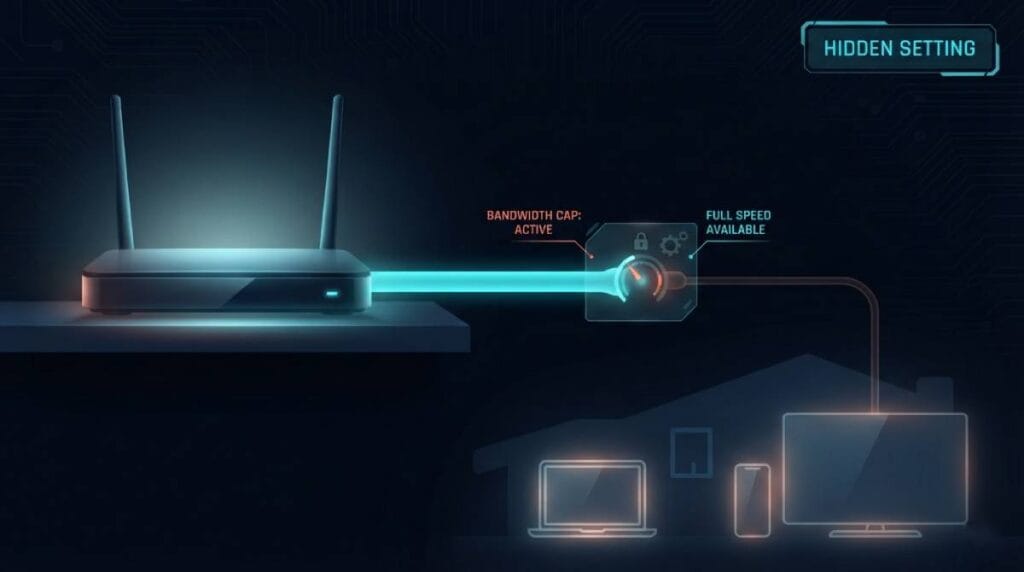
The Router Setting That Silently Throttles Your Whole House
The Router Setting That Silently Throttles Your Whole House

A single misconfigured setting can quietly cap your entire household’s internet, and most people never think to check it because it’s usually hidden by default.

Why Your Fish Tank Might Be Killing Your WiFi Signal

Why Your Fish Tank Might Be Killing Your WiFi Signal

Water absorbs WiFi signals for the exact same reason a microwave heats your food. If there’s a dead zone near your aquarium, this is why.

WiFi Doesn’t Actually Stand for Anything

WiFi Doesnt Actually Stand for Anything

\’Wireless Fidelity\’ feels like it should be the answer, but it’s not. WiFi was invented by a branding firm as a catchy name with no real meaning behind it.

Why Pointing Your Router’s Antennas at Your Devices Makes Things Worse

Why Pointing Your Routers Antennas at Your Devices Makes Things Worse

It feels intuitive to aim your router’s antennas at the room you need coverage in. That instinct is backwards — here’s how WiFi antennas actually broadcast.

The Signal Bars on Your Phone Are Lying to You

The Signal Bars on Your Phone Are Lying to You

Full WiFi bars tell you almost nothing about your actual internet speed. Here’s what that little icon is really measuring, and why it’s misleading you.

Why Microwaves and Routers Fight Over the Same Frequency

Why Microwaves and Routers Fight Over the Same Frequency

Your microwave and your WiFi router are quietly competing for the same slice of radio spectrum. Here’s why that overlap exists and what it actually does to your signal.

Why Your Router’s Default Password Is a Bigger Risk Than You Think

Why Your Routers Default Password Is a Bigger Risk Than You Think

Most routers ship with a default admin password that’s public information, printed in manuals available online. Here’s why that matters more than your WiFi password.

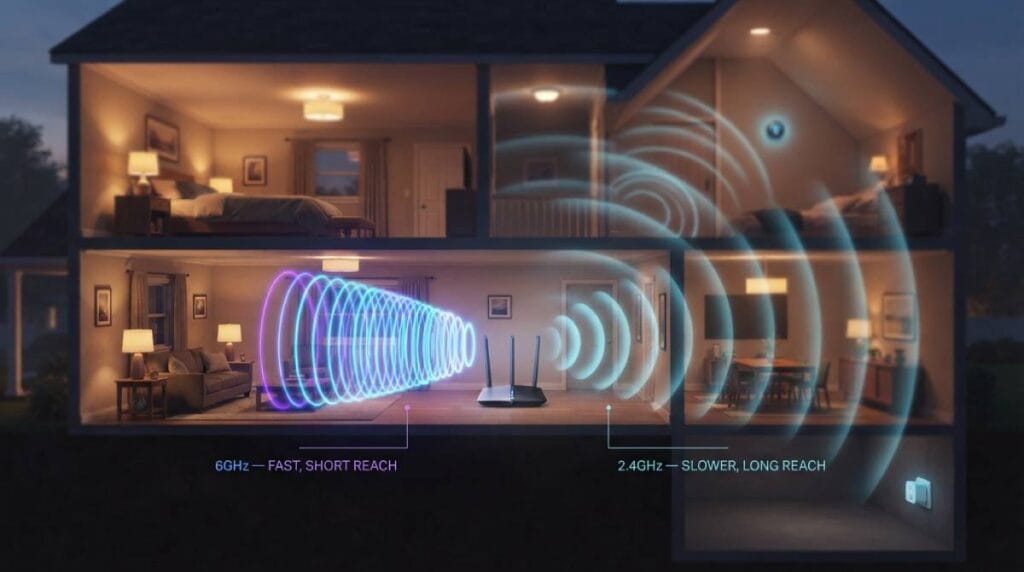
Why 2.4GHz Refuses to Die Even Though 6GHz Exists
Why 2.4GHz Refuses to Die Even Though 6GHz Exists

Your router still broadcasts on 2.4GHz even with WiFi 6E and WiFi 7 available. It’s not a leftover — it’s still doing a real job.

Why Valve Never Gave CS2 128-Tick Servers

Why Valve Never Gave CS2 128 Tick Servers

Valve had years of community pressure to raise CS2’s tick rate to 128. Instead they built something different entirely — here’s what subtick actually does.

The Secret Math Behind Why Cloud Gaming Feels Different

The Secret Math Behind Why Cloud Gaming Feels Different

Cloud gaming isn’t just ‘streaming a game’ — it’s solving a completely different latency problem than local play, and the numbers explain why it feels the way it does.

← Previous
Next →
Instant Speed Test

Practical internet diagnostics, connection tools and clear guides to help you understand your network.

How our measurements work  →

Tools

  • Internet Speed Test
  • Bufferbloat Test
  • Video Call Test
  • Wi-Fi Room Comparison
  • Household Bandwidth
  • Explore all tools →

Guides

  • Speed Basics
  • Wi-Fi Tips
  • Troubleshooting
  • Home Networks
  • Gaming Guides
  • Recent articles →

Explore

  • Gamer Hub
  • About
  • Contact
  • How We Test
  • All pages

© 2026 Instant Speed Test. Built by Ahmad Raza.

Privacy Policy Terms of Service XML sitemap