Free internet speed test
Internet speed test.
Understand your connection.
Measure download speed, upload speed and HTTP latency in your browser. Then choose a useful next check for slow Wi-Fi, gaming lag or interrupted calls.
Manual test · Can use up to 1.25 GB plus overheadHow we measure · No account needed
Find the right tool
Go beyond a single speed result. Check a connection problem or plan what you need.
Bufferbloat Test
Check response time during downloads and uploads.
Video Call Test
Compare your connection with video-call bandwidth needs.
Wi-Fi Room Comparison
Compare the same device in different rooms.
Household Bandwidth
Plan for everyone online at the same time.
Streaming Bitrate
Plan upload capacity and data use for your next stream.
Download Time
Estimate how long your next file transfer will take.
Slow Internet Troubleshooter
Answer four questions to choose your next connection check.
Camera Bandwidth
Estimate camera upload capacity and daily video data.
Monthly Data Usage
Plan remaining GB, daily data budget and hotspot use.
For your next session
Explore game connection tests
Regional connection checks and practical help for the games you play.

EA FC
Connection test & guide
CS2
Connection test & guide
Fortnite
Connection test & guide
Valorant
Connection test & guideThese browser checks use regional HTTP endpoints. They do not measure a live match or establish your ping to an actual game server.
Recent articles
Clear explanations, practical fixes and guides to help make sense of your connection.
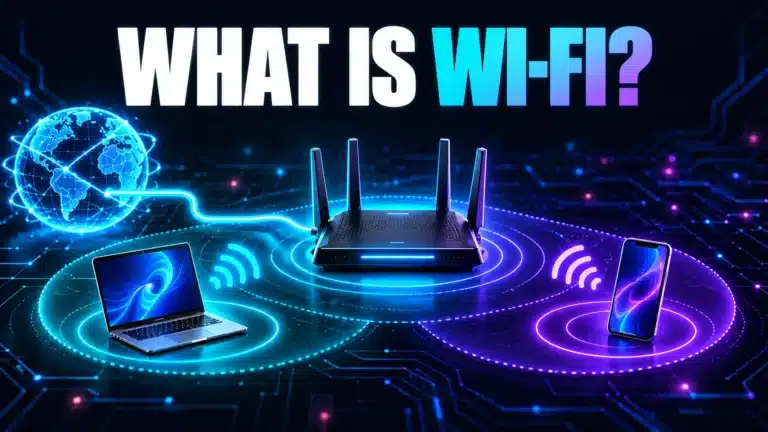
What Does Wi-Fi Mean? Wi-Fi, Internet and Signal Bars Explained
Understand Wi-Fi as a local wireless link, separate generation numbers from GHz bands, and diagnose full signal bars or connected-without-internet messages.
Read article
Starlink vs Fiber: Compare Your Address, Uploads and Total Cost
A practical Starlink versus fiber decision sheet covering actual address eligibility, uploads, application evidence, installation, power and full plan costs.
Read article
Is Starlink Good for Gaming? Check the Games You Actually Play
A task-based Starlink gaming guide: evaluate actual match connections, cloud-streaming requirements, obstructions, household load and hosting limitations.
Read articleFind your next answer
Browse guides by topic
Learn the basics, solve a specific problem or choose a better setup for your home.
A clearer view in three steps
Measure first, compare carefully, then choose a useful next step.
Start when you are ready
Close downloads and pause other heavy traffic. For a useful baseline, test on the device and connection you want to check.
Let both stages finish
The browser warms up and measures downloads and uploads to Cloudflare endpoints. It also records HTTP response timings.
Understand the result
Compare repeated tests under similar conditions. Use the specialist tools to investigate latency under load, Wi-Fi coverage or shared bandwidth.
What do the numbers mean?
- Download
- How quickly your browser receives data, measured in megabits per second (Mbps).
- Upload
- How quickly your browser sends data. Calls, backups and live streaming all use upload capacity.
- HTTP latency
- The response time of HTTP requests to the test endpoint, in milliseconds. It is not an in-game or ICMP ping.
- Jitter
- Variation between adjacent successful response timings. A fluctuating connection can feel worse than its average suggests.
A good speed depends on the job
There is no single result that suits every household. For one Netflix stream, the service recommends 5 Mbps for 1080p or 15 Mbps for 4K. Allow for other devices using the connection at the same time.
If something feels slow, compare the same device close to the router and in the affected room. Use Ethernet as another comparison where possible. Check background transfers and repeat before changing your plan.
A few useful answers
What this test measures, how to compare results and where to look next.
Read our testing methodWhat is Instant Speed Test?
How long does a speed test take, and how much data does it use?
Why do speed test results change?
Should I test on Wi-Fi or Ethernet?
Will this tell me my ping in a game?
What internet speed do I need for streaming or video calls?
Why might this result differ from another speed test?
How can I report a problem with a test?
Help us make the next test better
Found a bug, have a question or want to suggest a tool? Send Ahmad a message with the page and what happened.
Message Sent!
Thanks for reaching out. We'll review your message and get back to you as soon as possible.
Built by Ahmad Raza · Internet diagnostics, explained clearly.