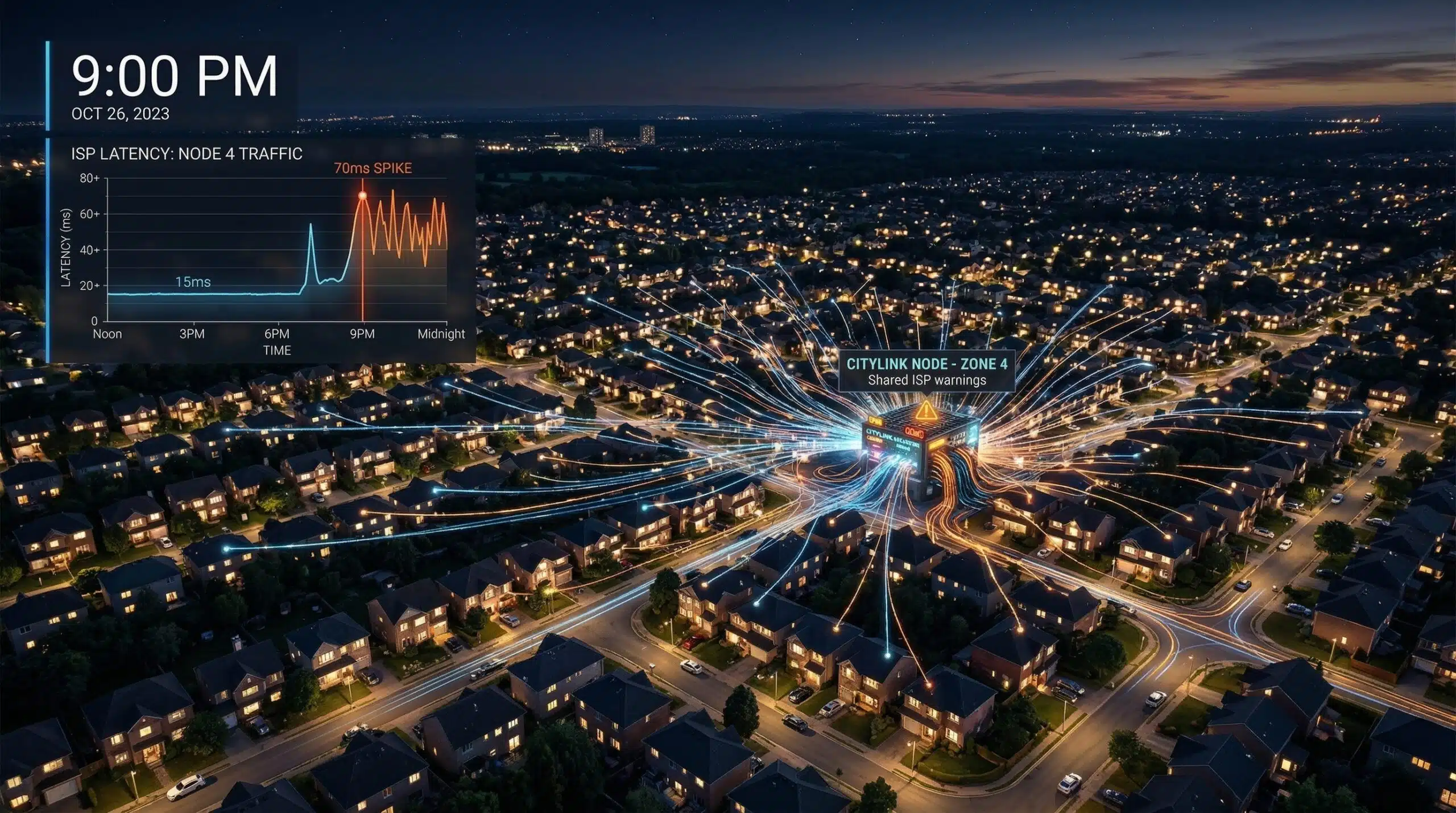
Why Is My Ping High at Night? Gaming Lag in the Evening Explained
Evening gaming lag on cable is one of the most common and frustrating internet problems. Your connection works fine all day, then becomes unreliable exactly when you sit down to play. Test your ping at different times of day using our speed test to document the pattern and build a case for your ISP.
Evening Ping on Cable — The Pattern and Cause
Cable internet’s DOCSIS architecture shares a single upstream node among 200–500 neighborhood households. At 7–10pm, nearly all those households are online simultaneously. Every packet from every household queues through the same node. Your gaming packets must wait behind streaming data, downloads, and uploads from hundreds of neighbors before being forwarded — adding 20–50ms of queuing delay to your baseline ping. This is structural infrastructure congestion, not a problem with your home network or device settings. No amount of router tweaking or DNS changes fixes ISP-level node saturation.
Cable Evening Ping vs Fiber — Typical Comparison
| Time | Cable Ping (typical) | Fiber Ping (typical) |
|---|---|---|
| 6am | 15–20ms | 5–12ms |
| 2pm | 18–25ms | 5–12ms |
| 7pm | 25–45ms | 5–12ms |
| 8–10pm peak | 40–80ms + spikes | 5–12ms |
| 11pm | 20–30ms | 5–12ms |
What You Can Do — Temporary Fixes and Permanent Solutions
Temporary: Enable QoS on your router to prioritize gaming traffic over streaming; schedule large downloads for overnight; game before 7pm or after 11pm when congestion is lower. Document and complain: Screenshot speed test results at 9am and 9pm for a week. ISPs sometimes upgrade node capacity when presented with consistent documented evidence of peak-hour degradation. Permanent solution: Switch to fiber — dedicated per-home infrastructure stays consistent at 5–12ms ping regardless of time of day. See our full comparison in the cable vs fiber for gaming guide.
Related Guides
- Why Is Internet Slow at Night?
- What Is Network Congestion?
- Cable vs Fiber for Gaming
- How to Reduce Ping in Gaming
- High Ping on Wired Connection
- What Is a Good Ping for Gaming?
Frequently Asked Questions
Why is my ping high at night even on Ethernet?
Ethernet eliminates your home network as a variable — which confirms the problem is upstream at the ISP. Cable congestion at the shared node affects wired and wireless connections equally. If your Ethernet ping is 60ms at 9pm but 15ms at 9am, the problem is definitively ISP infrastructure congestion. This documentation is your strongest argument for ISP support escalation and for justifying a switch to fiber.
Do gaming VPNs fix high ping at night?
No — evening congestion occurs at your local ISP node between your modem and the ISP backbone. VPN traffic passes through that same congested node before reaching any VPN server. The VPN can’t bypass the local congestion point — it only adds extra distance and encryption overhead on top of existing high ping. See our fix gaming lag without VPN guide for methods that actually work.