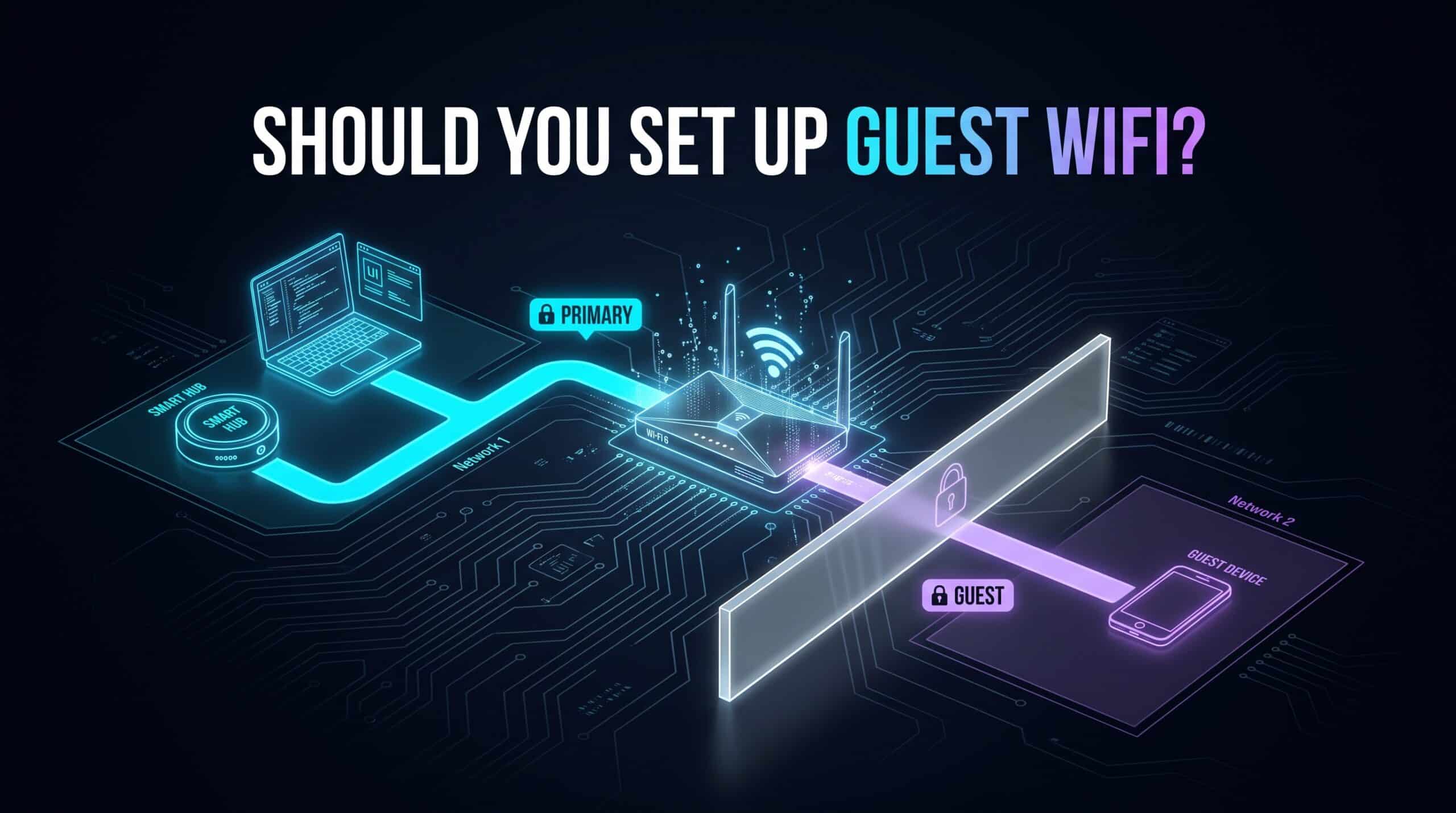
Handing a visitor your actual WiFi password feels like no big deal — it’s just internet access, right? Except that password doesn’t just open the door to the internet. It opens the door to your entire home network, every device on it, from your laptop full of personal files to whatever smart home hub happens to control your front door lock. That’s a bigger door than most people realize they’re propping open for a houseguest.
What a Guest Network Is Actually Doing
A guest network creates a separate, walled-off network under its own name and password, running on the exact same router and the exact same internet connection, but logically isolated from your main network. Devices on the guest network reach the internet completely normally — they just can’t see or touch anything on your primary network. Not your computers, not your network storage, not your smart devices. Nothing.
Why This Isolation Genuinely Isn’t Just Paranoia
This isn’t really about distrusting any specific guest. It’s about not knowing the security state of a device you don’t control. If a visitor’s phone happens to be carrying something it shouldn’t — without them even realizing it — that device can’t use your primary network as a launching pad toward your own stuff if it never had access to that network in the first place. That’s a real boundary, not a formality you’re setting up to be polite.
There’s a bonus use case here too that has nothing to do with guests at all. A lot of smart home devices are specifically built to only work on 2.4GHz and nothing else, and routing them onto a dedicated secondary network — whether you call it “guest” or something else entirely — keeps them separated from your primary devices while still functioning fine, and honestly makes troubleshooting a misbehaving smart plug a lot less confusing later.
Actually Setting One Up
Most modern routers have this built in already. Look in the wireless settings section of your router’s admin panel — it’s usually labeled plainly as “Guest Network” or “Guest WiFi,” nothing cryptic about it. Turn it on, give it a name distinct from your main network, set a separate password, done.
A couple of extra settings worth actually using while you’re in there. Bandwidth limiting on the guest network keeps a visitor’s heavy streaming or downloading from noticeably dragging down your primary network’s performance. An automatic expiration or time limit, if your router offers it, is genuinely handy for occasional visitors — no need to remember to manually turn the thing off after they leave.
Is This Actually Worth Setting Up for You?
If you host people regularly, run any kind of customer-facing WiFi for a small business, or have a genuinely large pile of IoT and smart home devices you’d rather keep separate from your real computers and storage, this is a low-effort addition that pays off. If you rarely have visitors and your device list is small and well understood, the practical upside is smaller — but the setup cost is low enough that there’s little real reason not to have it sitting there ready, even if it only gets used a handful of times a year.
Once it’s set up, confirm the guest network actually performs reasonably with our free speed test, run from a device connected specifically to it.
Related Guides
- Is Your WiFi Actually Secure?
- How to Set Up a Guest WiFi Network
- How Many Devices Can Your WiFi Actually Handle?
Frequently Asked Questions
Is a guest network actually necessary for a normal household?
Not strictly necessary, no, but it’s a genuine, meaningful security boundary for very little setup effort — and it’s honestly useful for isolating smart home gadgets from your real devices even if guests rarely show up.
Does having a guest network slow down my main WiFi?
Not inherently. A guest going wild with heavy downloads could eat into shared bandwidth, sure, but most routers let you cap the guest network’s usage specifically so it can’t meaningfully affect your primary devices.
Can devices on the guest network see my other stuff?
No — that’s the entire point. A properly set up guest network keeps its devices completely separate from anything on your primary network.