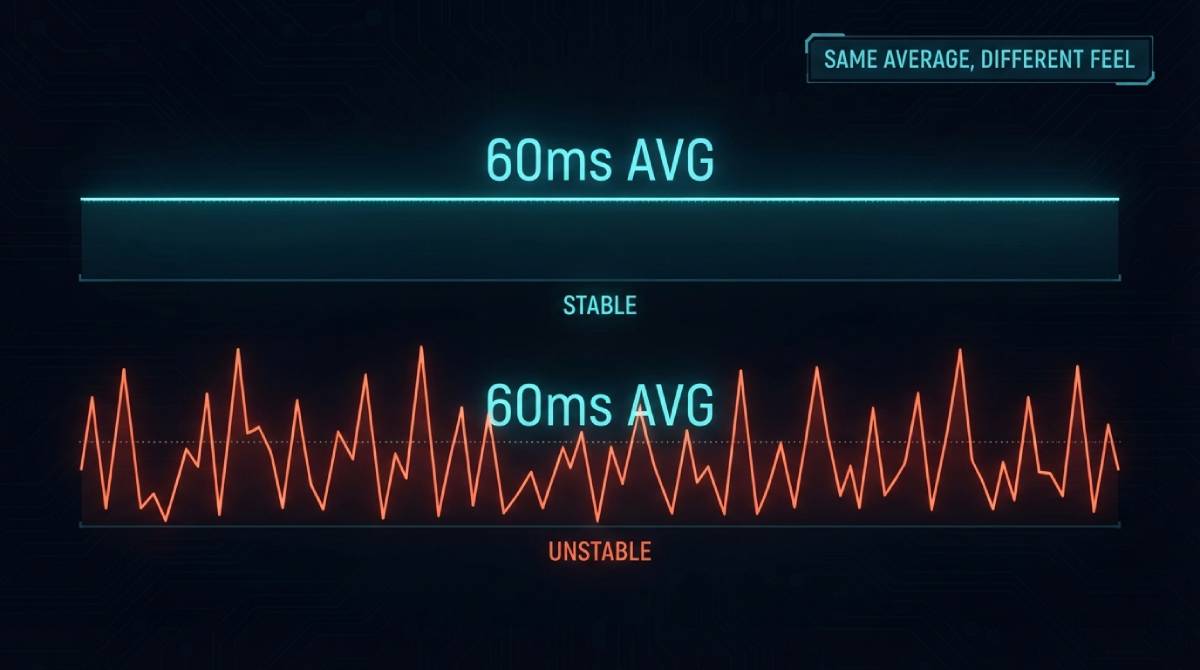
Two players compare their ping mid-match, both see 60 milliseconds, and yet one describes the game as feeling perfectly smooth while the other describes it as inconsistent and occasionally unplayable. Same number, completely different experience. The explanation almost always comes down to a metric most players have never specifically checked: jitter.
Ping Is an Average. Jitter Is the Story Behind It
A ping number, as usually displayed, is typically an average or a snapshot — a single figure summarizing your round-trip time at one moment or across a short sample. Jitter measures something different: how much that number actually varies from one instant to the next. A connection holding a rock-steady 60ms every single time is a fundamentally different experience from a connection that bounces between 20ms and 100ms but happens to average out to 60ms over time. Both can report “60ms ping.” Only one of them will actually feel like 60ms while you’re playing.
Why Games Punish Inconsistency Harder Than a Higher Average
This is a pattern that shows up repeatedly across very different games. Community consensus on Path of Exile 2 specifically favors a stable 120ms connection over one that fluctuates between 40ms and 150ms, even though the fluctuating connection has a lower average — because PoE2’s fast, particle-dense combat amplifies any inconsistency into visible stutters and desync in a way a merely higher but predictable ping doesn’t. The same principle holds in competitive shooters: a server has to reconcile whatever position data actually arrives, and a connection that unpredictably swings between good and bad samples gives the server a much harder reconciliation problem than one that’s consistently mediocre.
What Actually Causes High Jitter — and Why It’s Usually Not Your Internet Plan
Jitter’s most common causes have surprisingly little to do with your ISP’s advertised speed tier. WiFi interference from walls, distance, and competing networks on the same channel is one of the most frequent sources, and it affects jitter far more visibly than it affects raw download speed — which is exactly why two devices on the same plan can report similar Mbps numbers while one has dramatically worse jitter than the other. Network congestion from other devices actively using bandwidth, outdated router firmware, and aging hardware all contribute as well, none of which show up if you’re only glancing at a single ping number and calling it good enough.
Our Gamer Hub region tests track jitter alongside ping for every title, and our Gamer Speed Test weighs jitter directly into your composite Game Readiness Score, precisely because it’s the variable a plain ping check leaves out.
Related Guides
- Gamer Hub — All Game Ping Tests
- Gamer Speed Test
- Path of Exile 2 Ping Test
- Jitter vs Ping for Gaming
- What Is a Good Ping for Gaming?
Frequently Asked Questions
Is jitter more important than raw ping?
For many games, yes, especially fast-paced or physics-precise titles. A stable but slightly higher ping is often more playable than a lower average ping that fluctuates significantly, because inconsistency is harder for both the game and the server to compensate for than a predictable delay.
What usually causes high jitter?
WiFi interference, network congestion from other devices, outdated router firmware, and aging hardware are the most common causes — and notably, none of these are directly tied to your ISP’s advertised download speed tier, which is why jitter problems often go unnoticed by a standard speed test.