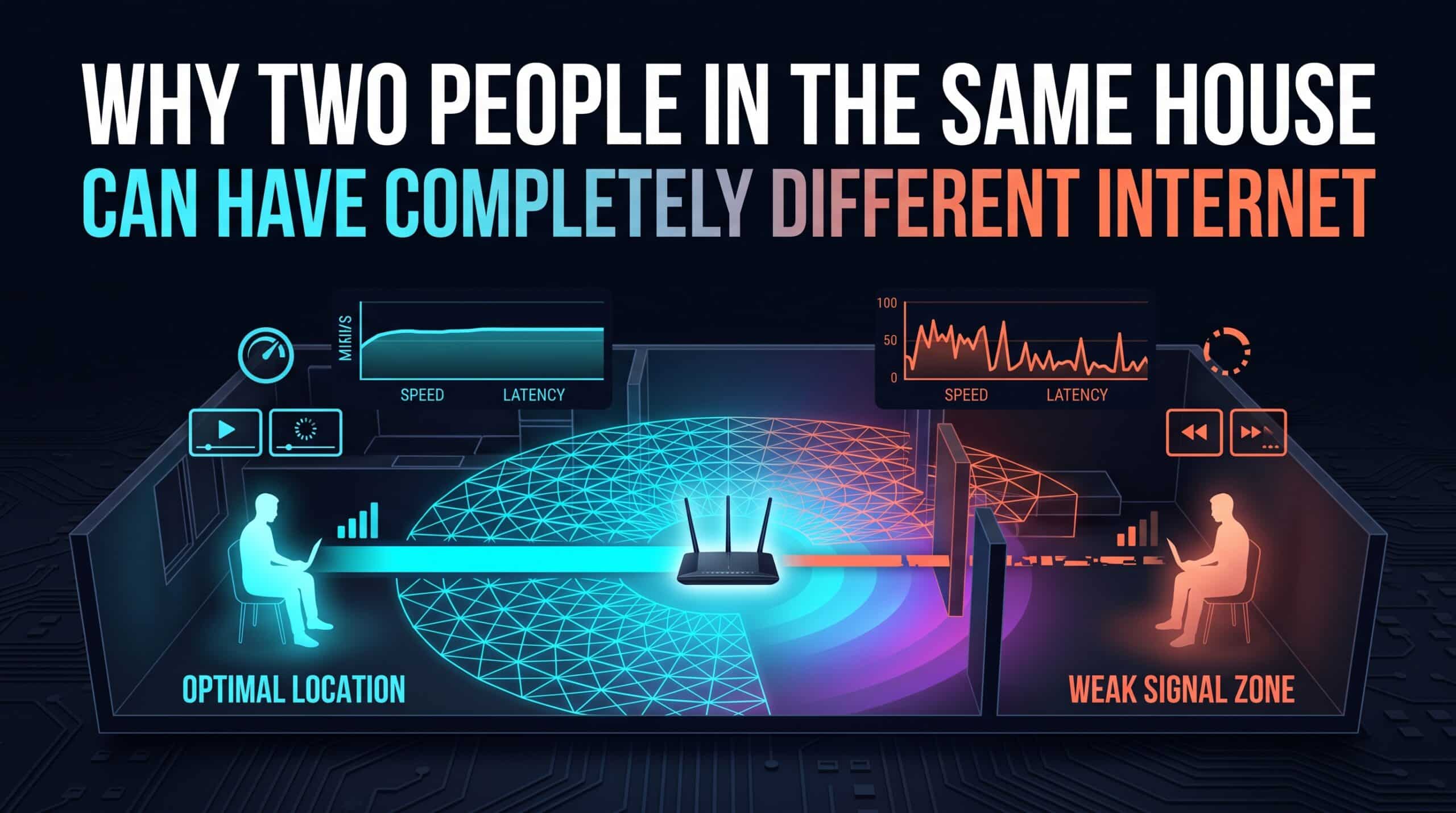
Two people, one household, one internet plan, one router — and yet one person streams and games with zero issues while the other deals with constant buffering and lag. This isn’t imagined or exaggerated; genuinely different real-world experiences on the exact same network are common, and they have specific, identifiable causes.
Distance and Walls Affect Everyone Differently
WiFi signal strength varies significantly by location within a home — a bedroom on the far side of the house, behind multiple walls, receives a meaningfully weaker signal than a room directly adjacent to the router. Two people in different rooms are, in a real physical sense, working with different effective connections, even though both are technically part of the same network.
Device Hardware Isn’t Equal
As discussed elsewhere, not every device has the same quality WiFi chipset — a newer phone with a modern antenna will consistently outperform an older laptop or budget tablet on the identical network, in the identical room, purely due to differences in the receiving hardware itself, independent of anything happening on the network side.
Usage Patterns Compound the Gap
If one household member is simultaneously running a large download or a 4K stream while the other is trying to video call, the person doing the lighter-weight activity can still feel real effects from the heavier user’s traffic sharing the same limited bandwidth, especially without any Quality of Service prioritization in place. Two genuinely different usage patterns, sharing one finite resource, naturally produce two different real-world experiences.
What Actually Helps
A mesh WiFi system directly addresses the distance and wall problem by placing additional access points throughout the home rather than relying on one central router. QoS settings address the usage-pattern problem by ensuring one person’s heavy activity doesn’t dominate shared bandwidth at another’s expense.
Have each household member test their own connection independently with our free speed test to see exactly how different the real experience is, room by room and device by device.
Related Guides
- What Is a Mesh WiFi System?
- Does Router Placement Affect Internet Speed?
- Why Some Devices Always Get the Worst WiFi in the House
Frequently Asked Questions
How can two people on the same network have such different experiences?
Distance from the router, walls in between, differences in each device’s WiFi hardware quality, and differing simultaneous usage patterns can all combine to produce genuinely different real-world performance for different people, even on the exact same network and plan.
What’s the most effective fix for this gap?
A mesh WiFi system addresses distance and wall-related signal loss by adding access points throughout the home, while Quality of Service (QoS) settings prevent one person’s heavy usage from dominating shared bandwidth at another’s expense.