These two terms get used almost interchangeably in casual conversation, and the confusion between them causes real, avoidable headaches. A power cycle and a factory reset are not the same action, and treating them as interchangeable can wipe out configuration you spent real time setting up, entirely by accident.
What a Power Cycle Actually Does
A power cycle — unplugging the router, waiting several seconds, and plugging it back in — is a safe, low-risk action that clears the router’s temporary memory and forces it to re-establish its connection to your ISP. It’s genuinely useful for resolving minor glitches, and it doesn’t touch any of your saved settings. Everything you’ve configured stays exactly as it was.
What a Factory Reset Actually Does
A factory reset is a fundamentally different action — it wipes the router back to its default, out-of-box state, erasing every custom configuration you’ve set up. That includes your network name and password, any port forwarding rules you configured for gaming or a home server, custom DNS settings, parental controls, and any static IP assignments. All of it disappears, and you’d need to reconfigure everything from scratch, often without a record of what you’d originally set.
Why This Distinction Matters More Than It Seems
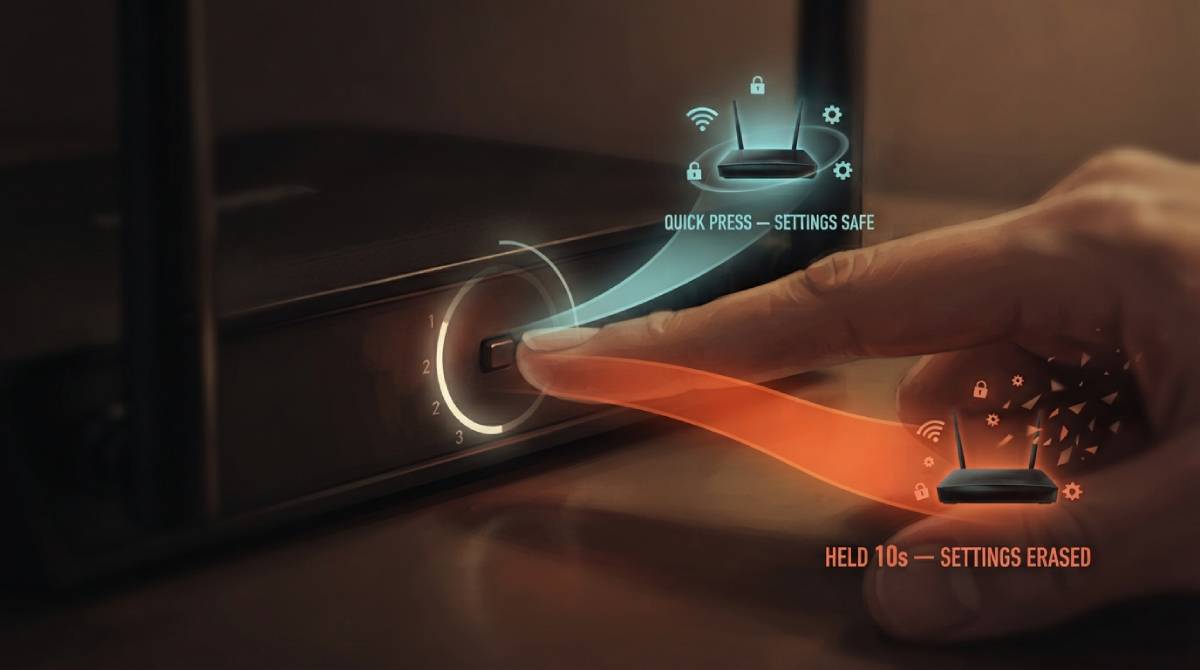
The router’s physical reset button is frequently the same button used for both actions, differentiated only by how long you hold it — a quick press might power cycle, while holding it for ten or more seconds triggers a full factory reset. This is precisely how the mix-up happens in practice: someone intends a simple restart, holds the button slightly too long following vague instructions, and unknowingly wipes out settings they’ll only notice are missing later.
If you’re troubleshooting an issue, a power cycle should always be your first attempt — reserve a factory reset for situations where a power cycle genuinely hasn’t helped and you’re prepared to reconfigure your network from scratch. Check your connection with our free speed test after either action to confirm things are working as expected.
Related Guides
Frequently Asked Questions
Will a power cycle delete my WiFi password and settings?
No. A power cycle only clears temporary memory and re-establishes your ISP connection — all of your saved settings, including your network name, password, and any custom configuration, remain untouched.
How do I avoid accidentally triggering a factory reset?
Be careful with how long you hold your router’s physical reset button — a brief press usually power cycles, while holding it for an extended period (often ten seconds or more) triggers a full factory reset. When in doubt, simply unplug and replug the device instead of using the button.