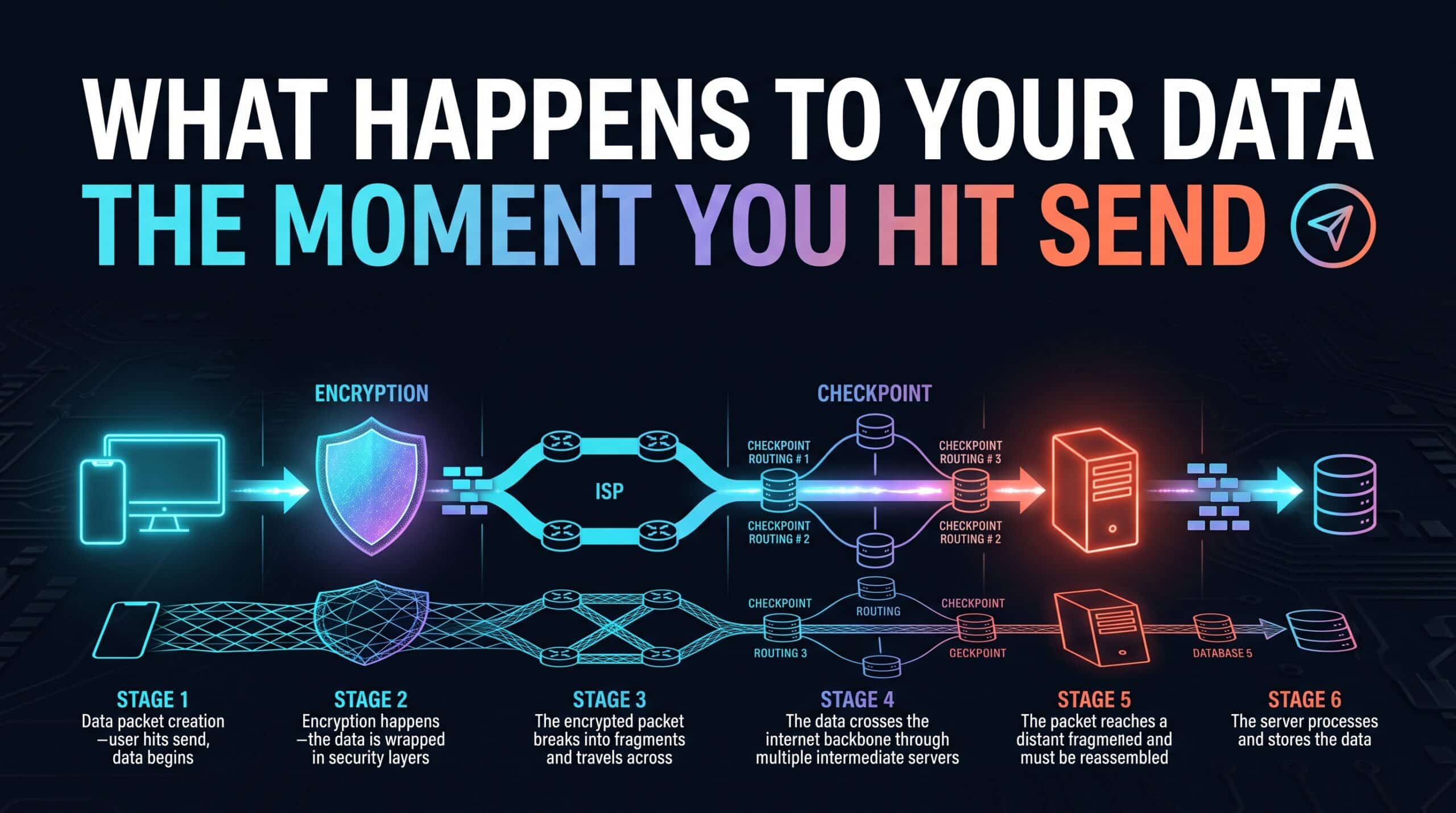
Hit send on a message, and it feels instantaneous — but a real, physical journey happens in that split second, crossing actual infrastructure spread across a meaningful distance, all completed in a fraction of the time it takes to notice it happened at all.
Breaking Into Packets
Your message or request doesn’t travel as one single piece — it gets broken into smaller units called packets, each one individually addressed and capable of taking its own path to the destination, then reassembled correctly once every piece arrives. This packet-based approach is what allows the internet to route around congestion or failures dynamically, rather than requiring one single unbroken path to exist for every transmission.
The Physical Journey Underneath
From your device, those packets travel through your router, out to your ISP’s local infrastructure, then onward through a series of interconnected networks — potentially crossing undersea cables if the destination is on another continent — before finally reaching the destination server. Each of these hops adds a small amount of time, and the total round trip is precisely what your ping measurement is capturing.
Why It Feels Instant Despite the Real Distance
Data in fiber optic cable travels at roughly two-thirds the speed of light — genuinely close to the physical maximum possible speed for information to travel at all. Even a request crossing an ocean and back typically completes in well under a fifth of a second, which is faster than human perception can register as anything other than instantaneous, even though the actual physical distance covered is thousands of kilometers.
Why Understanding This Journey Actually Helps
Knowing that every request involves this real multi-step journey — your device, your router, your ISP, and potentially many intermediate networks — helps explain why problems can originate at so many different points along that path, and why troubleshooting sometimes requires checking each link individually rather than assuming any one component is automatically at fault.
Check your own current round-trip time with our free speed test to see how fast that full journey completes from your specific location.
Related Guides
Frequently Asked Questions
Does my data really travel that far when I send a message?
Yes — your data breaks into packets that travel through your router, your ISP’s infrastructure, and potentially many interconnected networks, sometimes including undersea cables for international destinations, before reaching the destination and reassembling correctly.
Why does this feel instant if the actual distance is so large?
Data in fiber optic cable travels at roughly two-thirds the speed of light, so even a round trip across an ocean typically completes in well under a fifth of a second — faster than human perception can register as anything but instantaneous.