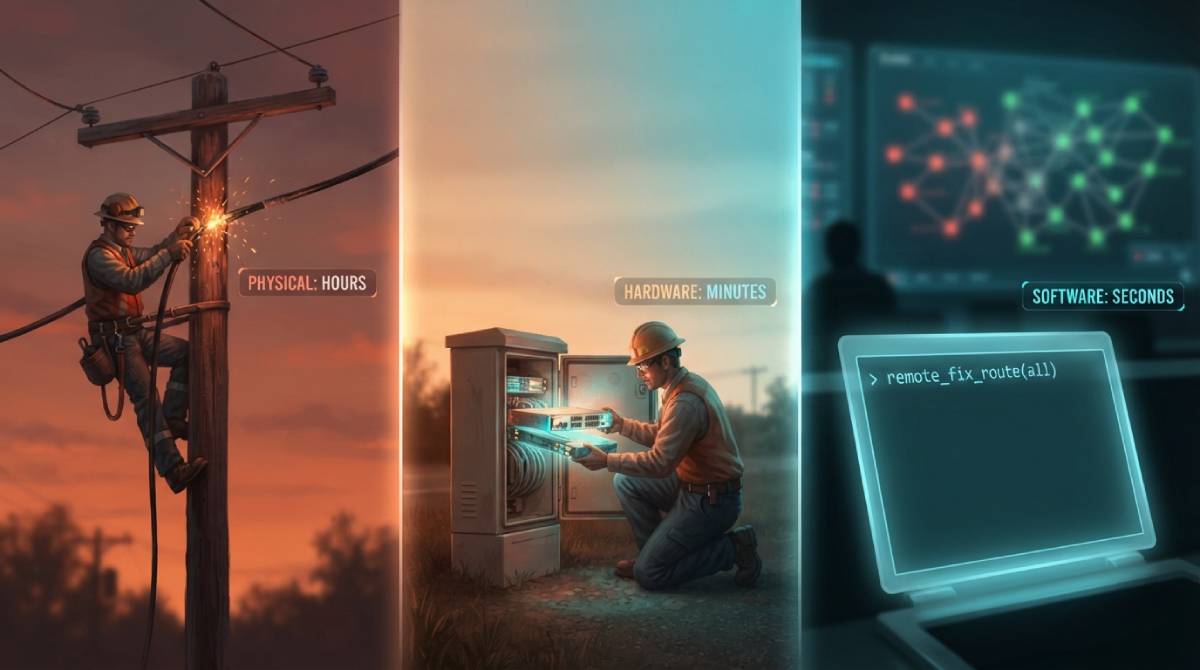
When your ISP’s status page reports “an outage affecting your area,” it’s a genuinely vague phrase covering a wide range of very different underlying problems, each with a completely different expected timeline for getting fixed. Understanding what’s actually happening behind that phrase can help set realistic expectations for how long you’ll actually be without service.
Physical Damage — The Slowest to Fix
Physical infrastructure damage — a cut cable, storm damage to overhead lines, construction work accidentally severing a buried line — is the category of outage that takes longest to resolve, because it requires a technician to physically locate and repair the actual damaged infrastructure, sometimes after first confirming exactly where along a long cable run the fault actually occurred. These outages can reasonably take hours, and in more severe cases, days.
Equipment Failures — Often Faster Than People Expect
A failed piece of shared network equipment — a node, a switch, a piece of infrastructure serving a specific neighborhood — is usually faster to resolve than physical cable damage, since it often just requires replacing or rebooting a specific piece of hardware rather than tracking down damage along a physical cable run. These outages can sometimes resolve within an hour or two once identified.
Software and Configuration Issues — Often the Fastest
Routing errors, configuration mistakes, and software issues on the ISP’s side can sometimes be fixed remotely within minutes once engineers identify the specific problem, without ever requiring a technician to physically visit any location. These are often the outages that resolve fastest, precisely because nothing physical needs to be repaired at all — just a correction pushed out from a remote operations center.
Why “Outage Reported” Doesn’t Tell You Much on Its Own
Given how differently these categories play out, a bare “outage in your area” notification genuinely doesn’t tell you much about expected resolution time on its own. If your ISP’s status tools provide any additional detail — estimated resolution time, or the general category of issue — that’s worth checking specifically, since the difference between a software fix and a physical repair can mean the difference between minutes and days.
Once service is restored, confirm full performance with our free speed test before assuming everything’s back to normal.
Related Guides
Frequently Asked Questions
Why do some internet outages fix themselves in minutes while others take days?
It depends on the underlying cause. Software or configuration issues can often be fixed remotely within minutes, while physical infrastructure damage — a cut cable or storm damage — requires a technician to physically locate and repair the issue, which can reasonably take hours or longer.
Does “outage reported in your area” tell me how long it will last?
Not on its own — it’s a broad phrase covering very different underlying problems with very different typical resolution times. Check your ISP’s status tools for any additional detail on the specific cause if available.