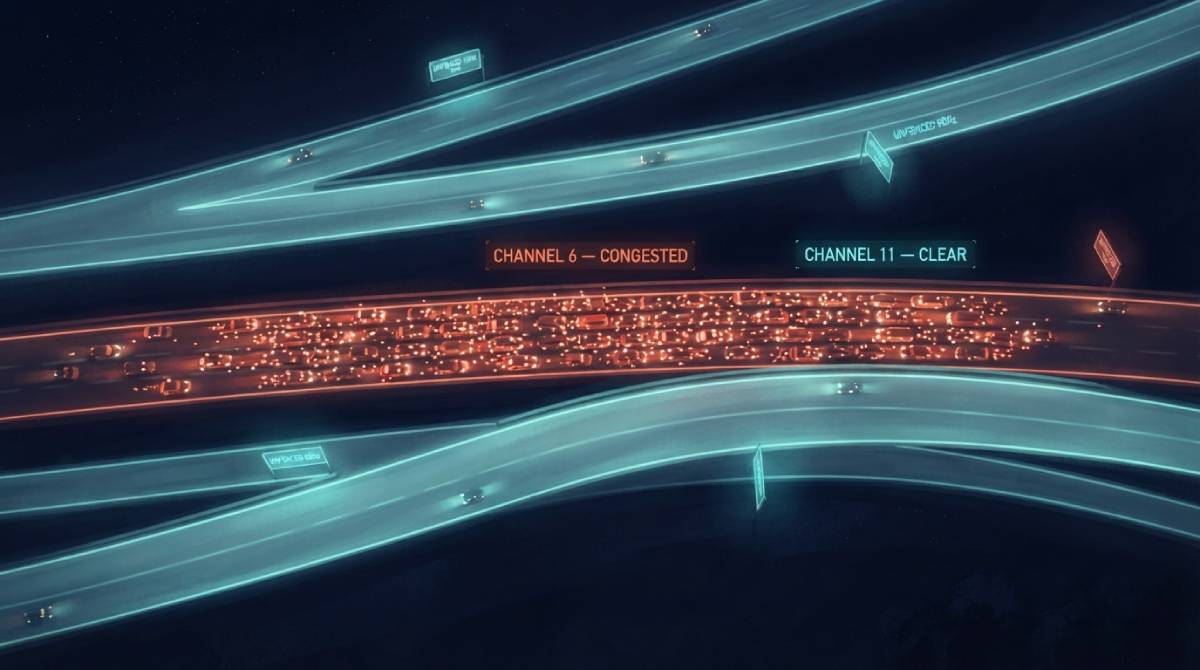
In an apartment building, a dense neighborhood, or any area with a lot of nearby WiFi networks, there’s a specific, invisible reason your connection can feel congested even when nothing in your own home has changed: your router might be broadcasting on the exact same channel as several of your neighbors’ networks, all competing for the same slice of radio spectrum at once.
A Limited Number of Lanes
WiFi doesn’t use one continuous frequency — it’s divided into discrete channels, a limited number of lanes within each frequency band. On 2.4GHz specifically, there are only a small number of non-overlapping channels genuinely available for use, which means in a densely populated building, it’s common for a dozen or more networks to be crowded onto the same handful of channels, all interfering with each other’s traffic simultaneously, even though each network’s own internet plan is perfectly fine on its own.
Why Your Router’s “Auto” Setting Isn’t Always Enough
Most routers default to automatically selecting a channel, and in theory this should pick the least congested option available. In practice, auto-selection doesn’t always update dynamically as neighboring networks come and go, and it can leave a router locked onto a channel that was clear when it was first set up but has since become crowded as more networks moved in nearby.
How to Actually Check and Fix This
WiFi analyzer apps, available for most phones and laptops, can show you exactly which channels are congested in your specific location and which ones are relatively clear. Manually setting your router to one of the less crowded channels — rather than trusting auto-selection indefinitely — can produce a genuinely noticeable improvement in a dense building, particularly during peak evening hours when the most networks are actively in use at once.
After adjusting your channel, confirm the improvement with our free speed test, ideally tested at the same time of day you noticed the original congestion.
Related Guides
Frequently Asked Questions
Can my neighbors’ WiFi actually slow down my own connection?
Yes, if your networks are broadcasting on the same or overlapping channels. In densely populated buildings, it’s common for many networks to be crowded onto the same limited set of available WiFi channels, causing mutual interference.
How do I check if my WiFi channel is congested?
A WiFi analyzer app, available for most phones and laptops, can show you which channels are congested in your specific location, letting you manually select a clearer one instead of relying on your router’s automatic selection indefinitely.