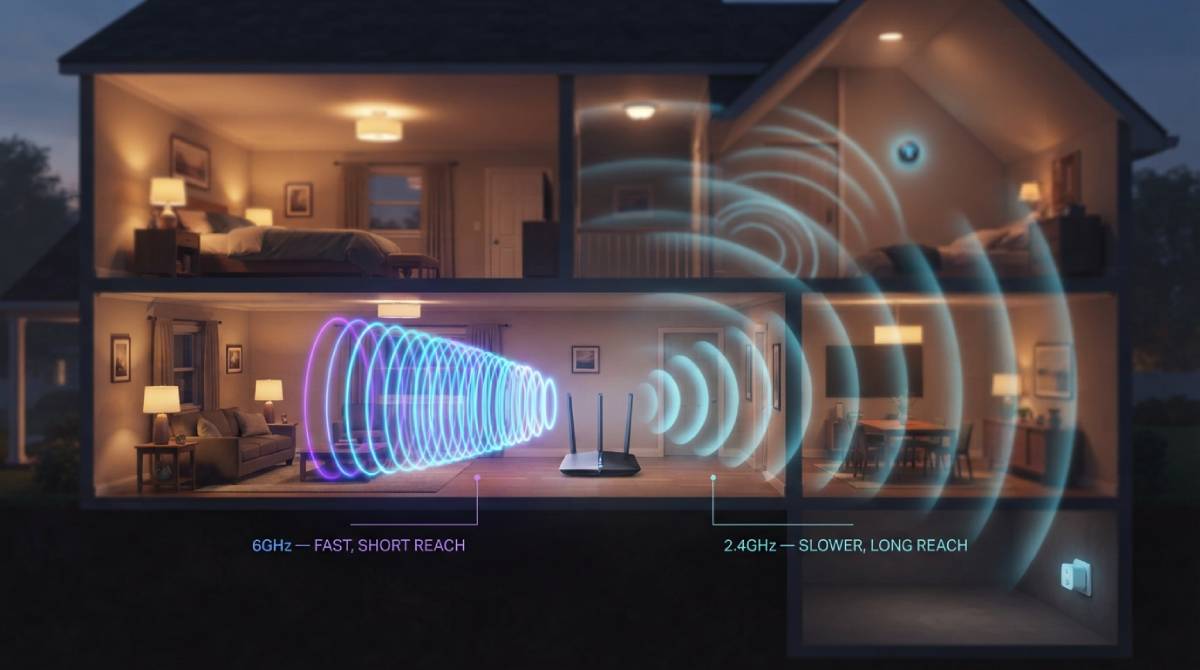
Modern routers support WiFi 6E and WiFi 7, capable of speeds that make the original 2.4GHz band look almost quaint by comparison. And yet every one of those routers still broadcasts a 2.4GHz network too, seemingly a relic nobody bothered to remove. It’s not a leftover. It’s still doing genuinely important work.
Range Over Speed
Higher frequency bands like 5GHz and 6GHz carry more data and support faster speeds, but they trade that speed for range — higher frequencies lose strength faster over distance and struggle more to pass through walls and floors. 2.4GHz sits at the opposite end of that tradeoff: slower maximum speed, but genuinely superior range and wall penetration. For a device on the far side of a house, or in a basement, or behind several walls, 2.4GHz can be the only band actually reaching it reliably at all.
Why Your Smart Home Specifically Needs It
This is exactly why 2.4GHz remains essential for the growing category of low-bandwidth smart home devices — thermostats, smart plugs, sensors, and similar gadgets that need almost no speed but do need reliable range, often from unfavorable spots like a garage, an attic, or a far corner of a yard. Modern WiFi 6 and WiFi 7 standards are specifically designed to continue supporting 2.4GHz alongside the newer bands, including efficiency improvements aimed at exactly this use case.
What This Means for How You Set Up Your Network
The practical takeaway is that your fastest devices — laptops, consoles, streaming boxes — should connect to 5GHz or 6GHz whenever they’re within reasonable range, while low-bandwidth smart devices in hard-to-reach spots are often better served staying on 2.4GHz specifically for the range advantage. Moving everything to the newest band isn’t automatically the right call; matching the band to the device’s actual needs usually performs better than defaulting to “newest is always best.”
Check which band your key devices are actually connecting to, and test the real speed difference between them, with our free speed test.
Related Guides
Frequently Asked Questions
Should I turn off 2.4GHz if I have WiFi 6E or WiFi 7?
Generally no. 2.4GHz still offers meaningfully better range and wall penetration than higher frequency bands, which matters for devices far from the router or for low-bandwidth smart home gadgets that don’t need high speed.
Which devices should use 2.4GHz versus 5GHz or 6GHz?
Fast, bandwidth-hungry devices like laptops, consoles, and streaming boxes generally perform better on 5GHz or 6GHz when in range. Low-bandwidth smart home devices in hard-to-reach spots are often better served by 2.4GHz’s superior range.