Speed Test Faster Than Actual Downloads — Why and What It Means
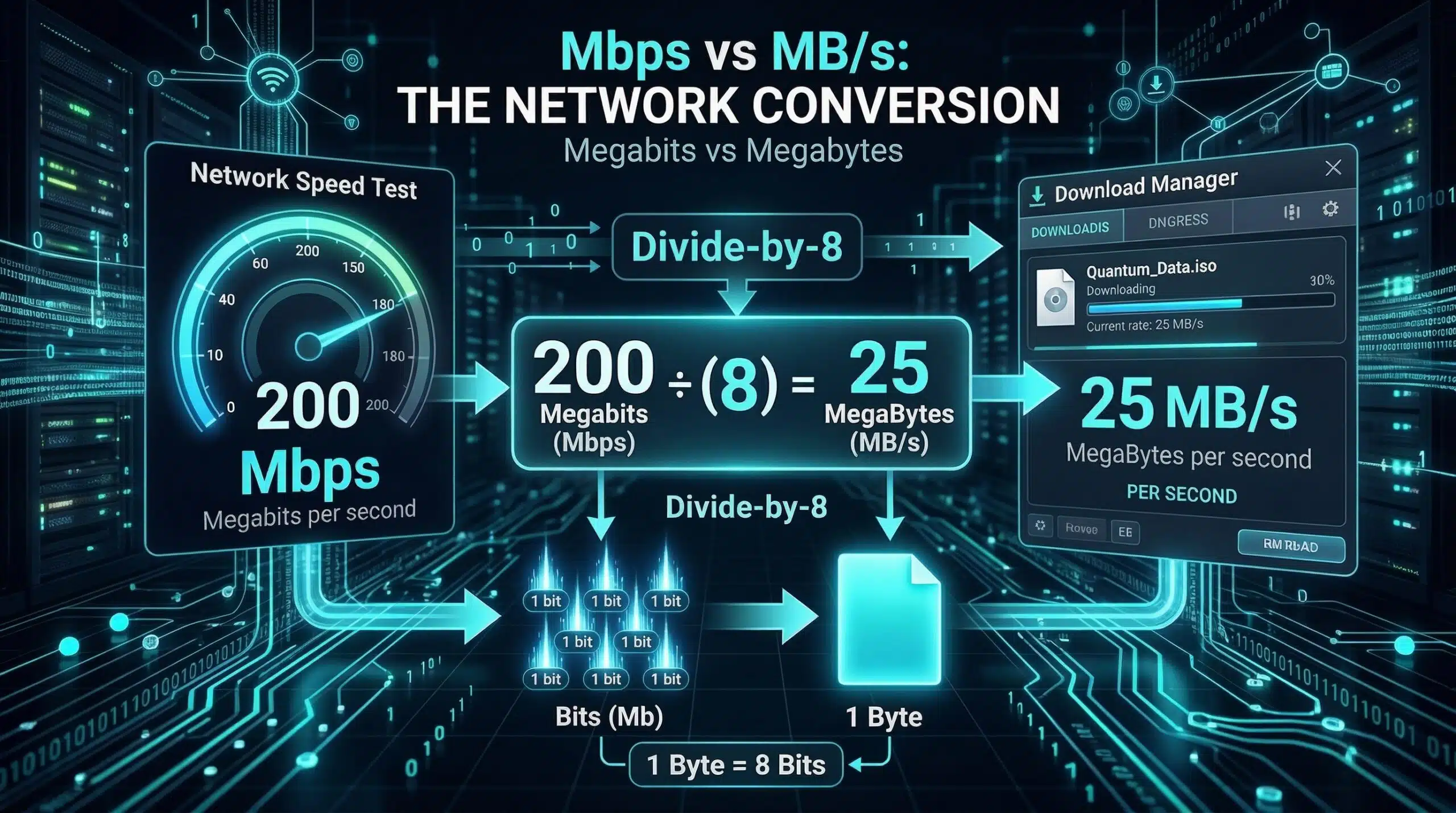
Your speed test shows 300 Mbps but Chrome downloads a file at 20 MB/s (160 Mbps). Your Steam game downloads at 15 MB/s. Netflix seems to buffer. This disconnect is real and frustrating — and it has specific explanations. Test your connection at instantspeedtest.net/ and keep that number in mind as you read this guide.
Speed Tests vs Real Downloads — Why They Differ
| Factor | Speed Test | Real Download |
|---|---|---|
| Server location | Nearest optimal server | Wherever the file is hosted (could be far) |
| Server capacity | Dedicated test infrastructure | Shared web/CDN server with thousands of users |
| Parallel connections | Multiple simultaneous streams to maximize speed | Often 1–4 connections per file download |
| Routing | ISP-peered, optimized path | General internet routing, may be suboptimal |
| Protocol overhead | Minimal | HTTPS/TCP overhead reduces throughput |
Why Your Browser Download Shows Lower Speed Than the Speed Test
Speed tests use multiple parallel connections to a nearby server with uncongested bandwidth — specifically designed to show your connection’s ceiling. A browser download uses a single HTTP connection to a remote server that may be serving thousands of users simultaneously. A file hosted on a server in Germany being downloaded by someone in the US travels 9,000 km through general internet routing — inherently slower than a test to your nearest ISP-peered server. Additionally, many download servers intentionally throttle per-connection speeds to share capacity fairly. This is normal behavior and doesn’t indicate a problem with your internet. For comparison methodology, see our speed test comparison guide.
Related Guides
- Ookla vs Fast.com vs Google Speed Test
- What Is a Speed Test?
- How to Read Speed Test Results
- How to Check If ISP Is Throttling
- Download Speed Slower Than Plan
- Why Speed Tests Differ on Different Devices
Frequently Asked Questions
My speed test shows 500 Mbps but Steam downloads at 60 MB/s. Is that right?
Yes — 60 MB/s (megabytes per second) × 8 = 480 Mbps. Your Steam download is actually at ~96% of your speed test result. This is because computer file sizes display in megabytes (MB) while internet speeds measure in megabits (Mb). Always multiply MB/s by 8 to compare with Mbps. 60 MB/s from Steam on a 500 Mbps connection is essentially full speed.
Why does Google Drive download faster than Steam?
CDN (Content Delivery Network) proximity — Google has servers everywhere and typically serves files from a location very close to you. Steam’s servers are distributed but may route you to a more distant server during peak times. Speed also depends on the number of connections used and per-server throttling. You can change your Steam download region (Settings → Downloads → Download Region) to select a less congested server location.
Should my speed test and download speeds match exactly?
No — they will always differ due to the factors above. A “good” ratio is within 20–30% of your speed test result on downloads from major CDNs (Google, Microsoft, Apple, Steam). Large gaps (speed test 300 Mbps, all downloads capped at 10–20 MB/s) may indicate ISP throttling of non-test traffic. The VPN test from our throttling guide can confirm this.