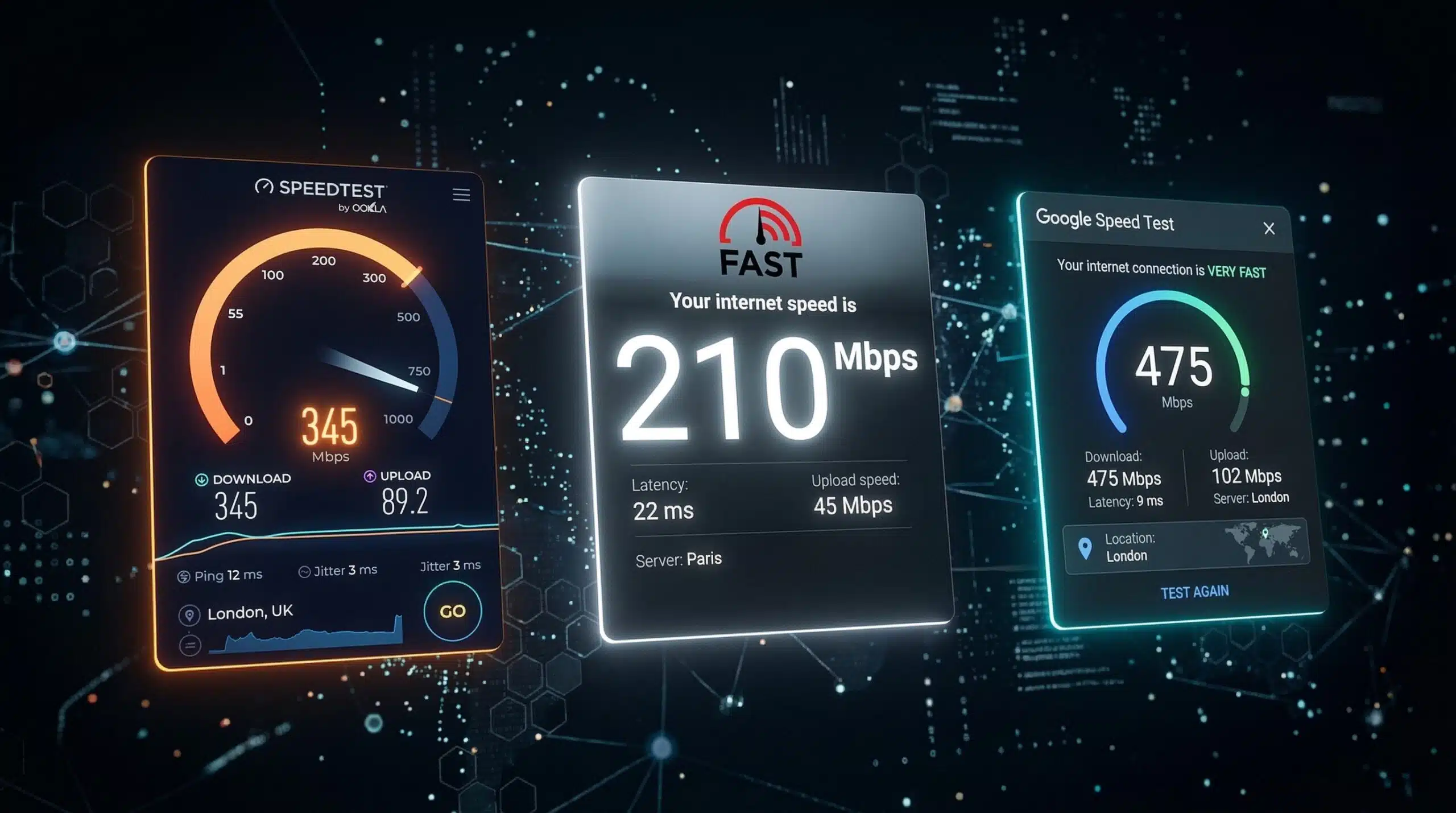
Why Ookla, FAST and Google Speed Tests Show Different Results
No speed test is universally the most accurate for every task. A result describes traffic between one device and a particular test service at that moment. Server route, connection count, test duration, device load and background traffic can all change the number. A higher result does not by itself prove that one service is better or that an ISP is throttling another.
For a fair comparison, use the same device and connection, run services one at a time and repeat a small alternating set. Record the server or endpoint and whether latency is idle or loaded. Use the affected application’s own diagnostics when a game, meeting or streaming service is the problem.
Choose the next check · Copy a blank comparison log · Read how Instant Speed Test measures
Comparing the Major Speed Test Options
| Test | Server Network | Metrics | Best For |
|---|---|---|---|
| Ookla Speedtest | Global test-server network with different hosting partners | Download, Upload, Ping, Jitter | Overall connection quality, ISP reporting |
| Fast.com (Netflix) | Netflix CDN servers | Download; upload and loaded/unloaded latency under Show more info | Netflix streaming performance |
| Google Speed Test | Measurement Lab (M-Lab) network | Download, Upload, Latency | Single-stream connection performance with M-Lab NDT |
| Cloudflare Speed Test | Cloudflare edge network | Download, Upload, Latency, Jitter | Connection quality to Cloudflare endpoints |
| Instant Speed Test | Cloudflare-powered | Download, upload, HTTP latency and timing variation | Browser-based download, upload and HTTP latency checks |
Why Different Tests Show Different Results
Each test measures traffic between your device and its selected servers. Differences in routing, congestion, server capacity, test duration and the number of connections can change the result. M-Lab describes NDT as a single-stream test; a multi-connection test can behave differently, especially on a high-latency route. A gap such as 200 Mbps on one test and 50 Mbps on another does not, by itself, prove intentional throttling. Repeat the tests under comparable conditions before following our ISP throttling troubleshooting guide.
Choose the Check That Matches the Problem
| What you are investigating | Useful comparison | What it cannot establish alone |
|---|---|---|
| Slow downloads or a lower-than-expected plan result | Repeat throughput tests on the same device and connection; compare Ethernet where practical. | A single result cannot identify the limiting device, route or provider policy. |
| Netflix playback problems | FAST.com uses Netflix servers; compare its result with playback diagnostics and another test. | A gap between services does not prove intentional throttling. |
| Lag while someone uploads or downloads | Compare idle and loaded response timing with a bufferbloat test. | Browser HTTP timing is not a direct measurement of a private game or call route. |
| One room or one device is slow | Use a controlled same-device room comparison and inspect the device’s connection details. | The browser cannot read Wi-Fi signal strength or the selected band on every device. |
| A game or meeting feels bad despite fast Mbps | Compare the application’s network/performance indicators with the browser baseline. | Throughput alone cannot certify application quality. |
The Best Strategy — Use Multiple Tests
Run the tests one at a time on the same device, connection and browser, with background transfers paused. Record the time, server and settings, then repeat the comparison. Similar results strengthen confidence in the observed range; different results are a reason to investigate, rather than proof of a particular fault. See why speed tests differ by device and speed test vs actual download speed.
Use a repeatable comparison instead of choosing a winner
- Use the same device, connection and browser conditions. Record VPN or relay use and whether the test runs from a device or router.
- Run services one at a time, not together. Record the endpoint or server when exposed, time, test settings, download/upload units and whether latency is idle or loaded.
- Repeat a small alternating set rather than comparing one best run with one worst run. Preserve unavailable or interrupted outcomes instead of replacing them with zero or a guessed result.
- Compare each result with the task: a file transfer, a call, or the game’s own telemetry. A difference between services does not by itself prove throttling or make either service fraudulent.
Read how this site tests connections before interpreting its numbers. The video-call check and loaded-latency check are browser diagnostics; neither reproduces every application’s private route. This is a procedure readers can follow, not a claim that a new comparative experiment has been performed here.
Blank Speed-Test Comparison Log
Copy this template into your notes for each run. It contains no measured results and is not a published comparison experiment. Do not include your public IP address, account details or exact home address when sharing a log.
Date and time:
Device / browser:
Wi-Fi or Ethernet / room:
VPN or proxy state:
Test service / server or endpoint:
Download Mbps / upload Mbps:
Idle latency / loaded latency, if available:
Interrupted or unavailable outcome:
Background transfers / changed condition:
Compare all recorded runs, including the unavailable ones. A reproducible difference gives support teams evidence to investigate; it does not identify the cause by itself. Start a browser speed test only when you are ready for its data use.
Related Guides
- What Is a Speed Test?
- How to Read Speed Test Results
- Test Speed Without an App
- Speed Test Faster Than Actual Downloads
- How to Check If ISP Is Throttling
- Why Speed Test Differs on Different Devices
Frequently Asked Questions
Which speed test is most accurate?
No single test is universally most accurate for every task. Each measures performance to particular endpoints using its own method. Use repeated tests to compare connection capacity, then check the affected application when diagnosing a streaming, gaming or download problem. A speed test alone cannot identify why a provider is slowing particular traffic.
Why does Ookla always show higher speeds than other tests?
Ookla does not always show higher speeds. A nearby server, a different route or multiple test connections can produce a higher result, while other conditions can produce a lower one. This does not establish the ISP’s motive or prove that any test is dishonest. Record the selected server and connection settings when comparing results.
Should I use Fast.com to test if Netflix is slow?
Yes. FAST.com transfers data to and from Netflix servers, so it is a useful additional check when Netflix is slow. It is not a reproduction of every video session. If it repeatedly differs from other tests, record the time and device, check Netflix playback diagnostics, and share the evidence with your ISP or Netflix support. The difference alone does not distinguish congestion, routing, Wi-Fi limitations and intentional traffic management.
Methodology sources: M-Lab NDT, FAST.com measurement FAQ and Cloudflare’s speed test methodology.
Keep a record of your own comparison
Use our blank service-comparison worksheet and alternating-run procedure to record the settings, successful results and incomplete runs you actually observe. Compare one service at a time on the same device and connection. Our homepage also lets you explicitly save completed Instant Speed Test runs with setup labels and download a local support report.