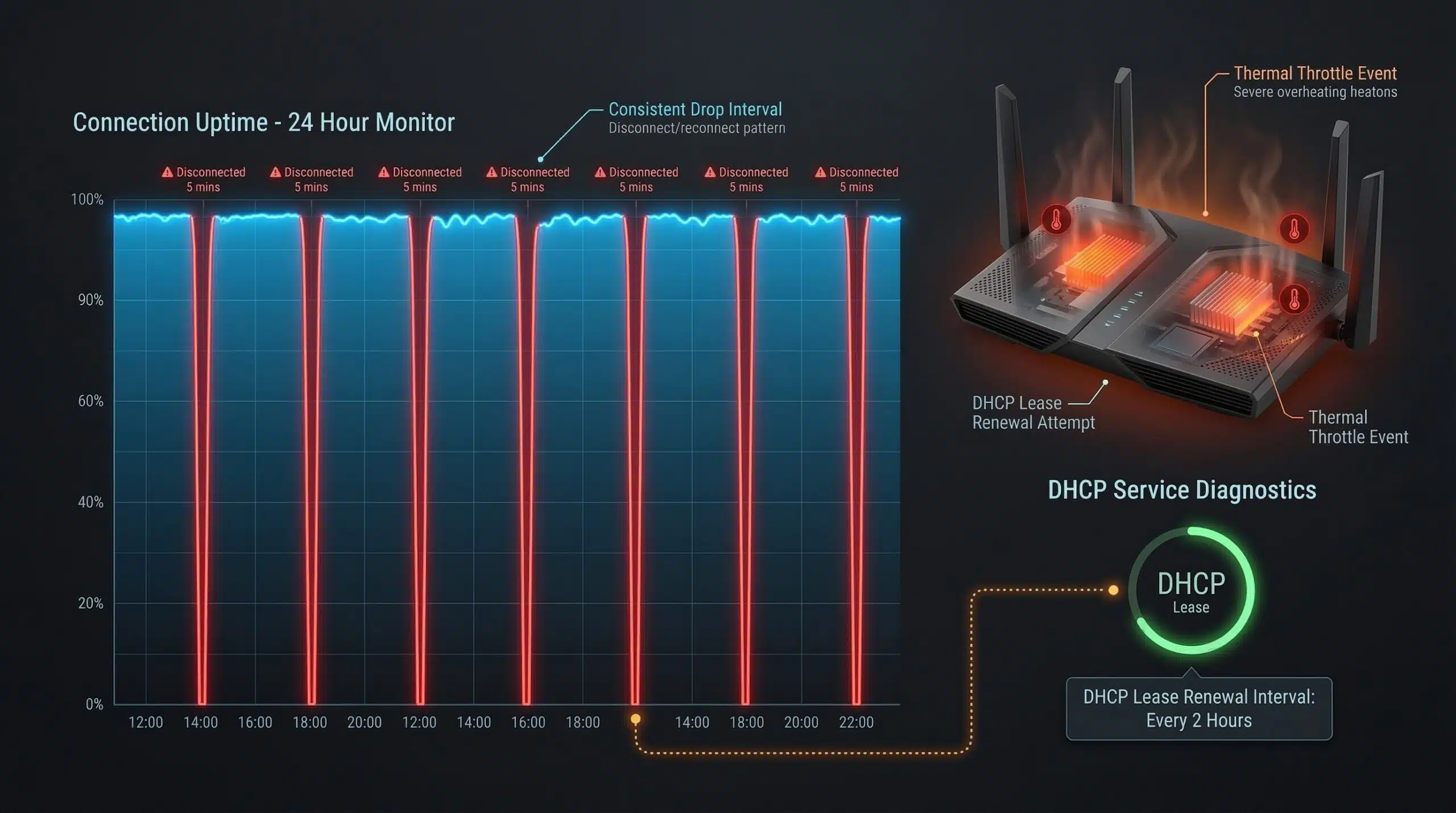
Why Does My Internet Drop Every Hour? Causes and Fixes
Periodic, predictable internet drops — especially on an hourly schedule — point to specific hardware or configuration issues rather than random faults. The regularity is actually a clue. Check your connection stability and run a speed test at instantspeedtest.net/ to establish a baseline before investigating further.
Common Causes of Periodic Internet Drops
| Cause | Pattern | Fix |
|---|---|---|
| Router overheating | Regular drops, especially in warm rooms | Improve ventilation; replace if old |
| DHCP lease renewal failure | Hourly drops matching DHCP lease time | Set static IP or extend lease duration |
| ISP line quality issue | Random but frequent disconnections | Contact ISP with documented times |
| Modem firmware update | Brief drop, then reconnection | Normal; update schedule may be adjustable |
| WiFi channel interference | Drops correlate with neighbor activity | Change WiFi channel to less congested one |
| Loose cable connector | Intermittent, sometimes position-sensitive | Reseat or replace coax/Ethernet connectors |
| Outdated modem/router firmware | Random instability | Update firmware |
DHCP Lease Renewal — The Hourly Drop Culprit
DHCP (Dynamic Host Configuration Protocol) assigns IP addresses to devices with a set “lease” duration. By default, many home routers set DHCP leases to 1 hour or 24 hours. When a lease expires, the router requests renewal — if this renewal fails or takes longer than expected, there’s a brief disconnection. Check your router’s DHCP lease settings (typically under LAN settings) and extend the lease time to 24 hours. Alternatively, assign a static IP address to devices that need consistent connectivity.
Router Overheating — The Overlooked Culprit
Routers generate heat during operation. When placed in enclosed spaces (inside cabinets, against walls, stacked with other electronics), they overheat and throttle performance or disconnect to protect themselves. Feel your router during a drop event — if it’s hot to the touch, overheating is the cause. Move it to an open, ventilated location. Routers more than 5 years old often have degraded thermal paste and may need replacement to maintain stable operation. See our guide on how to speed up a slow router.
Related Guides
- How to Speed Up a Slow Router
- Does a Router Affect Internet Speed?
- Does Router Placement Affect Speed?
- What Causes Slow Internet?
- How to Fix Slow Internet on Windows 11
- What Causes Packet Loss?
Frequently Asked Questions
Why does my WiFi disconnect every 30 minutes?
This specific interval often indicates a power management setting on your device — particularly on Windows laptops where WiFi adapters are set to go into power-saving sleep mode. Go to Device Manager → Network Adapters → WiFi adapter → Properties → Power Management → uncheck “Allow the computer to turn off this device to save power.” This is one of the most common causes of regular WiFi disconnections on laptops.
How do I find out when my internet drops?
Use a continuous ping to track disconnections: on Windows, run “ping 8.8.8.8 -t” in Command Prompt to send continuous pings to Google’s DNS — any timeout indicates a disconnection. Note the times. On router admin pages, many routers log connection events. Third-party tools like PingPlotter continuously graph latency and disconnections with timestamps. This documentation is also useful when reporting issues to your ISP.
Can a bad coax cable cause internet drops?
Yes — on cable internet, corroded or loosely connected coaxial cable connectors cause intermittent signal drops. Check all coax connections from the cable entry point to your modem. The connectors should be hand-tight. Inspect for corrosion (green or white deposits). Replacing a corroded or damaged coax cable or connector is inexpensive and sometimes eliminates persistent disconnection issues.