Internet Speed for Zoom Webinars — Host and Attendee Requirements
Zoom Webinar differs from regular Zoom meetings — hosts broadcast to potentially thousands of attendees who are mostly passive viewers. The bandwidth requirements differ significantly by role. Test your connection at instantspeedtest.net/ before your event.
Zoom Webinar Speed Requirements — By Role
| Role | Download | Upload | Notes |
|---|---|---|---|
| Attendee (view only) | 2.5 Mbps | 0.5 Mbps | Mostly download |
| Panelist (video on) | 3 Mbps | 3 Mbps | Bidirectional video |
| Host (HD, up to 25 panelists) | 4 Mbps | 4 Mbps | Zoom handles encoding |
| Host (1080p, recording) | 6 Mbps | 6 Mbps | Cloud recording adds overhead |
| Host (screen share + video) | 5 Mbps | 5 Mbps | Screen share is upload-heavy |
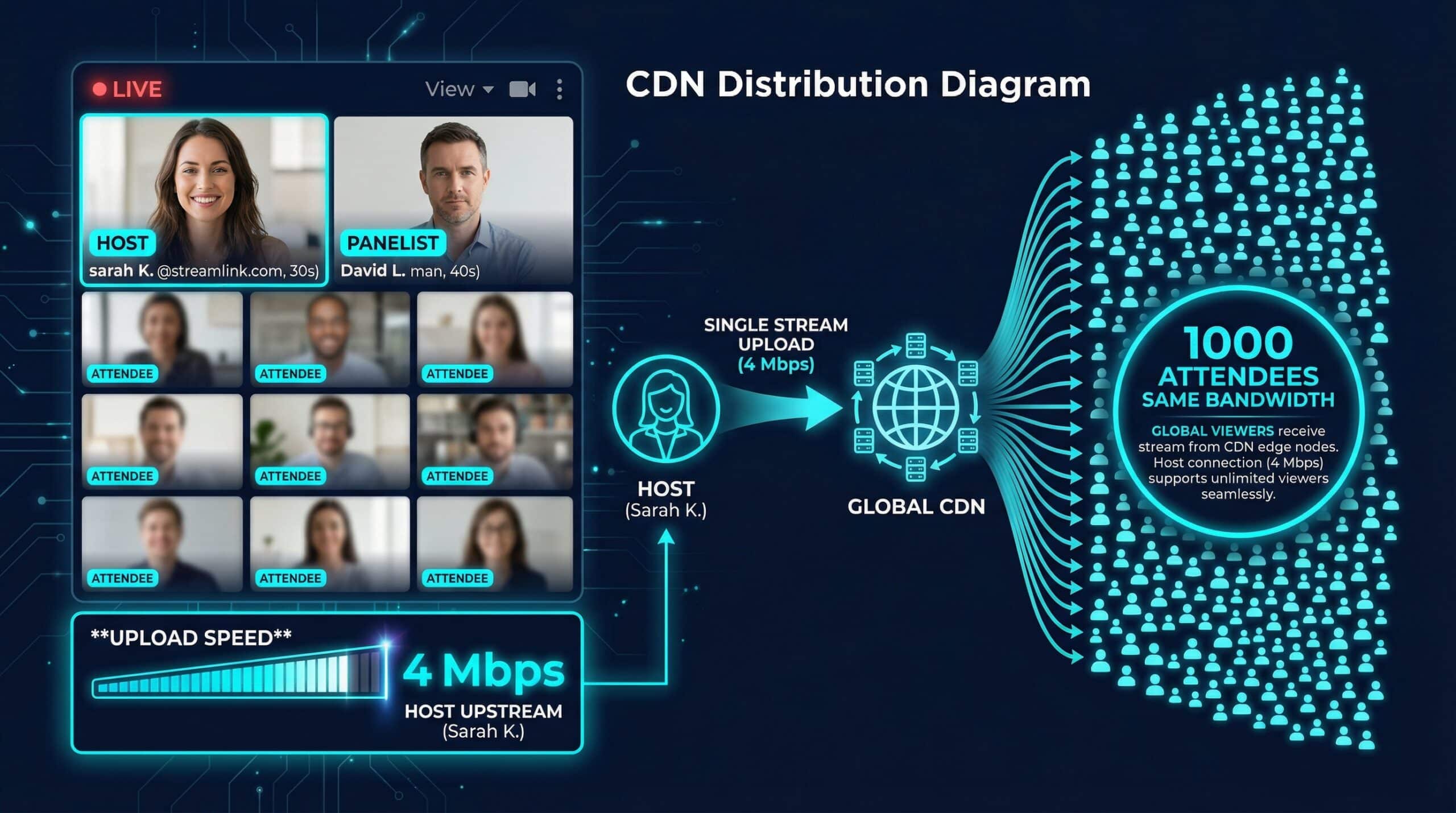
| Large event (1000+ attendees) | 4 Mbps | 4 Mbps | Zoom CDN handles distribution |
Why 1,000-Attendee Webinars Don’t Need 1,000x More Bandwidth
Zoom uses a CDN (Content Delivery Network) architecture for webinars — the host uploads one stream to Zoom’s servers, which then distribute it to all attendees. The host’s upload bandwidth doesn’t scale with attendee count. A 1,000-person webinar requires the same host bandwidth as a 10-person one (approximately 4–6 Mbps upload). This is fundamentally different from regular video calls where you send separate streams to each participant. The real requirement for large webinar hosts is connection stability — any dropout interrupts the broadcast for all attendees simultaneously. Ethernet and a stable fiber or cable connection are essential for high-stakes webinars. See our Zoom speed guide.
Related Guides
- Internet Speed for Zoom Calls
- Internet Speed for Video Calls
- Does Speed Affect Video Call Quality?
- What Is a Good Upload Speed?
- Wired vs Wireless Speed
- Best Speed for Remote Work 2025
Frequently Asked Questions
What happens if my internet drops during a Zoom webinar I’m hosting?
If the host drops, Zoom will show “The host has left” to attendees and pause the webinar. With a co-host assigned, the co-host can immediately take over and continue the event. Always designate a co-host for any webinar over 100 attendees as a backup. Prevent drops by using wired Ethernet, testing your connection 30 minutes before the event, and ideally having a mobile hotspot as emergency backup. Cloud recordings on Zoom’s servers survive host disconnections and resume when the host reconnects.
Does Zoom Webinar need a special internet plan?
No — standard broadband (50+ Mbps) is more than adequate for any Zoom Webinar role. The requirements listed (4–6 Mbps) are modest by modern standards. The priority is stability over raw speed — a 25 Mbps connection with zero packet loss is better than a 500 Mbps connection with 1% packet loss for live webinar hosting.