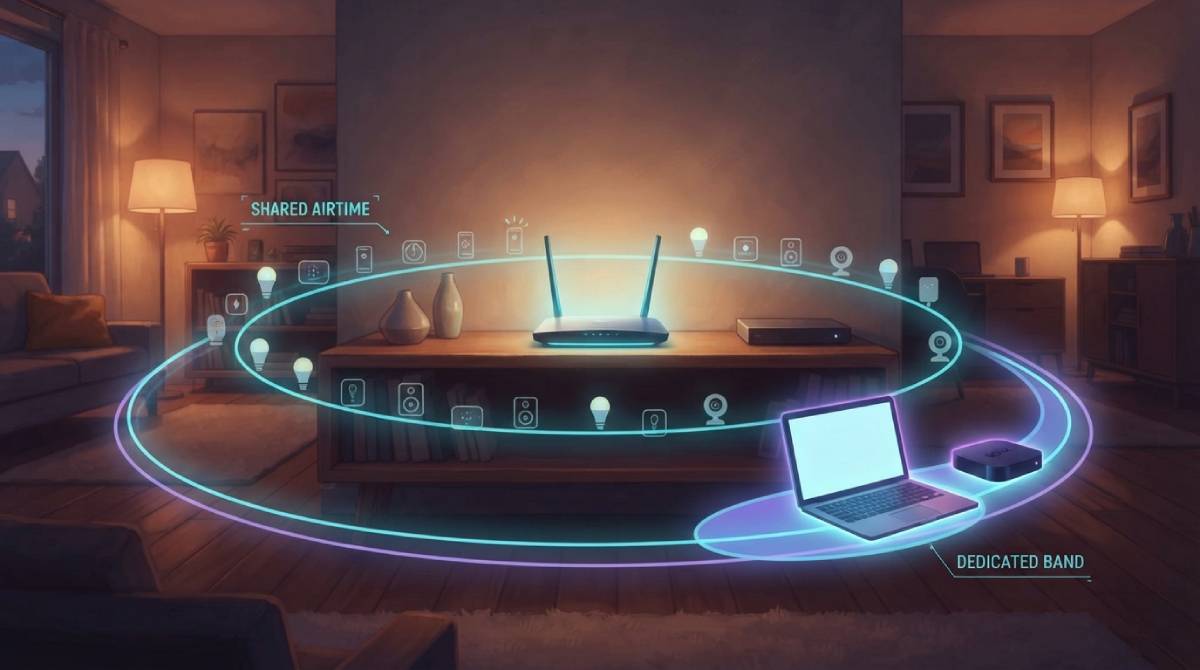
Smart bulbs, plugs, cameras, thermostats, speakers, plus phones, laptops, and streaming devices — modern households routinely have dozens of devices connected simultaneously. There’s no simple universal number for how many a home network can “handle,” but there is a real, practical ceiling, and it arrives well before any theoretical hardware maximum.
The Theoretical Number Isn’t the Practical One
Most consumer routers can technically support well over 100 connected devices from a pure addressing standpoint. In practice, performance for every device on the network begins degrading noticeably long before reaching that theoretical ceiling, because WiFi is a shared medium — every device has to take turns communicating with the router, even devices that are mostly idle, checking in periodically to maintain their connection.
Why Idle Devices Still Cost You Something
A smart plug that’s rarely actively transmitting data still periodically checks in with the router to maintain its connection, and each of those check-ins consumes a small sliver of available airtime. With enough idle devices accumulated, that overhead adds up to something genuinely noticeable, even if no single device is doing much of anything at any given moment — death by a thousand small interruptions rather than any one device hogging bandwidth.
What Actually Determines Your Real Ceiling
Router quality matters enormously here — a higher-end router with more capable hardware and, ideally, WiFi 6 or WiFi 6E’s improved multi-device efficiency features handles a crowded smart home meaningfully better than a basic older router. Splitting devices across bands also helps significantly: putting low-bandwidth smart home gadgets on 2.4GHz while keeping bandwidth-hungry devices like laptops and streaming boxes on 5GHz reduces contention on each individual band.
If your network feels sluggish with many devices connected, test your actual speed with our free speed test to see how much of an impact device count is genuinely having.
Related Guides
Frequently Asked Questions
Is there a hard limit on how many devices can connect to home WiFi?
Not a strict universal number — most modern routers can technically support well over 100 devices. In practice, performance degrades noticeably before reaching that theoretical ceiling, because WiFi is a shared medium where every device, even idle ones, consumes some airtime.
What’s the best way to support a lot of smart home devices?
Split devices across bands where possible — low-bandwidth smart home gadgets on 2.4GHz, bandwidth-hungry devices like laptops and streaming boxes on 5GHz — and consider a higher-end router with WiFi 6 or WiFi 6E, which handles many simultaneous devices more efficiently than older standards.