Does an Ethernet Splitter Reduce Internet Speed? The Honest Answer
Ethernet splitters are frequently misunderstood — they exist in two very different types with completely different speed impacts. Using the wrong type genuinely will halve your speed. Test your wired connection at instantspeedtest.net/ before and after adding any splitter.
Ethernet Splitter Types — The Critical Difference
| Type | How It Works | Speed Impact | Use Case |
|---|---|---|---|
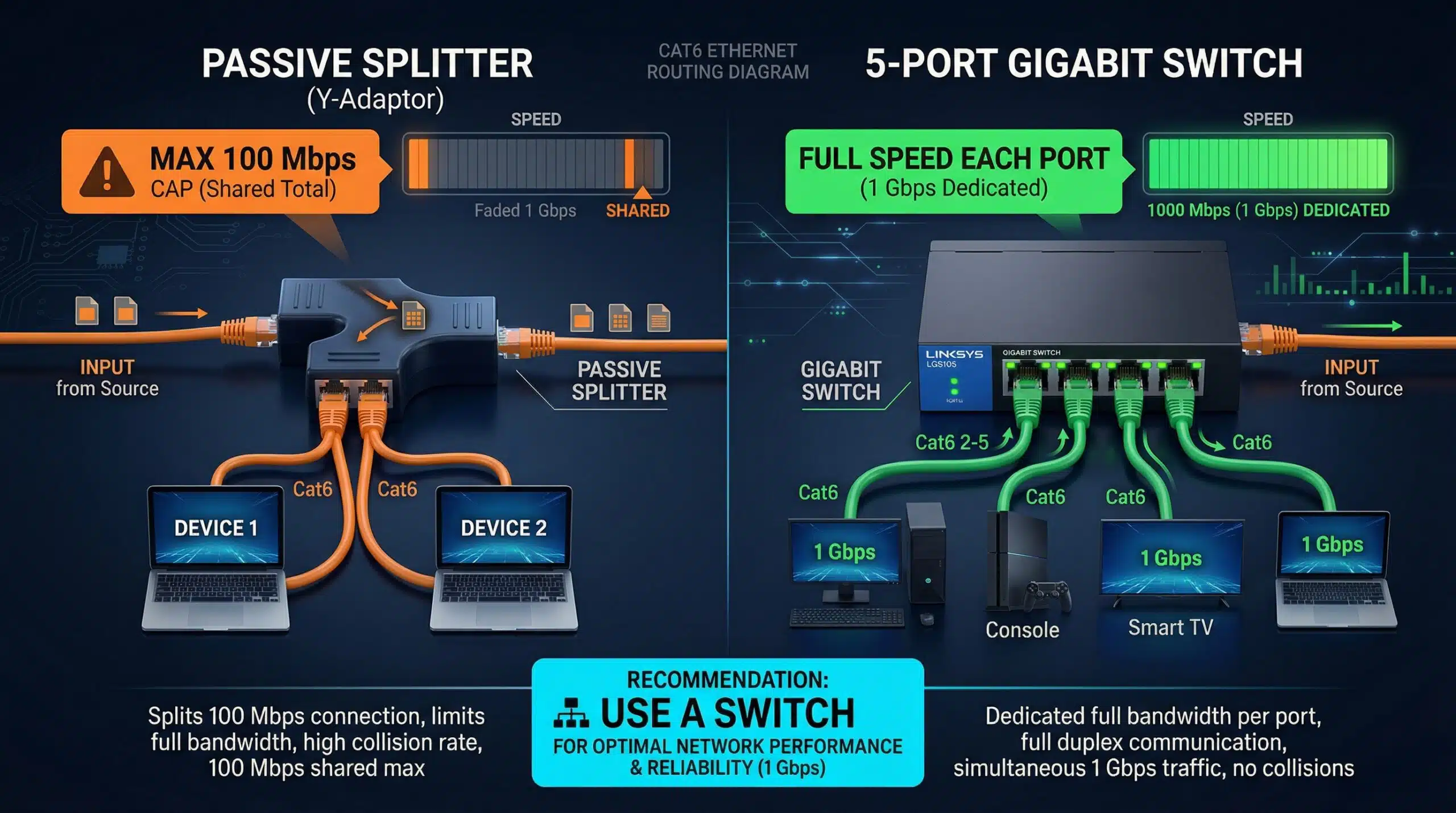
| Passive 1-to-2 splitter | Splits wire pairs between two devices | Reduces to 100 Mbps max; both devices share one cable | Only works in pairs; rarely recommended |
| Network switch (unmanaged) | Intelligent packet switching | Full speed to each port (up to port speed) | Correct solution for multiple Ethernet ports |
| Network switch (managed) | Intelligent switching + VLAN/QoS | Full speed per port + traffic control | Enterprise/prosumer use |
The Real Answer — Use a Switch, Not a Splitter
Passive Ethernet splitters are largely a consumer trap. They require two splitters in a pair, each device shares cable pairs (limiting to 100 Mbps even on Gigabit networks), and configuration is confusing. A proper unmanaged network switch ($15–30 for a 5-port Gigabit switch) solves every “I need more Ethernet ports” problem correctly: full Gigabit speed to every port, plug-and-play, no configuration needed. A 5-port Gigabit switch (TP-Link TL-SG105, Netgear GS305) costs the same as a passive splitter pair but works correctly. See our guide on network switch vs hub.
Related Guides
- Network Switch vs Hub
- Ethernet Cable Guide
- Wired vs Wireless Speed
- Modem vs Router
- Faster Internet Without Upgrading
- Does a Router Affect Speed?
Frequently Asked Questions
Do network switches slow down internet speed?
Modern unmanaged Gigabit switches introduce negligible latency (under 10 microseconds) and no throughput loss. Devices connected through a switch get full Gigabit speeds to each other and to the router, limited only by the switch’s port speed and the overall internet plan bandwidth. Old 10/100 Mbps switches cap connections at 100 Mbps — verify your switch supports Gigabit (1000Base-T) if on a fast internet plan.
How many devices can I connect to a Gigabit switch?
Consumer Gigabit switches come in 5, 8, 16, and 24-port configurations. All devices share the uplink to your router, so total bandwidth is still limited by your internet plan. Within your home network (device-to-device file transfers, NAS access), each port runs at full Gigabit simultaneously. For most homes, a 5-port or 8-port Gigabit switch ($15–50) handles all wired devices comfortably.