What Is a Good Internet Speed for an Apartment? 2025 Guide
Apartments have unique internet considerations compared to houses: shared building infrastructure, dense WiFi environments with many competing networks, and often more limited ISP options per unit. Test your current speed at instantspeedtest.net/ and compare against the recommendations below.
Good Internet Speed for an Apartment — By Usage Profile
| User Profile | Recommended Download | Recommended Upload |
|---|---|---|
| Solo renter — light use (browsing, HD streaming) | 25–50 Mbps | 5–10 Mbps |
| Solo renter — heavy use (4K, gaming, WFH) | 100 Mbps | 20 Mbps |
| Two people sharing (mixed use) | 100–200 Mbps | 20–40 Mbps |
| Two WFH roommates | 200 Mbps | 40+ Mbps |
| Content creator (streaming/uploading) | 100 Mbps | 100+ Mbps (fiber) |
The Apartment WiFi Problem — Why Dense Buildings Need Strategy
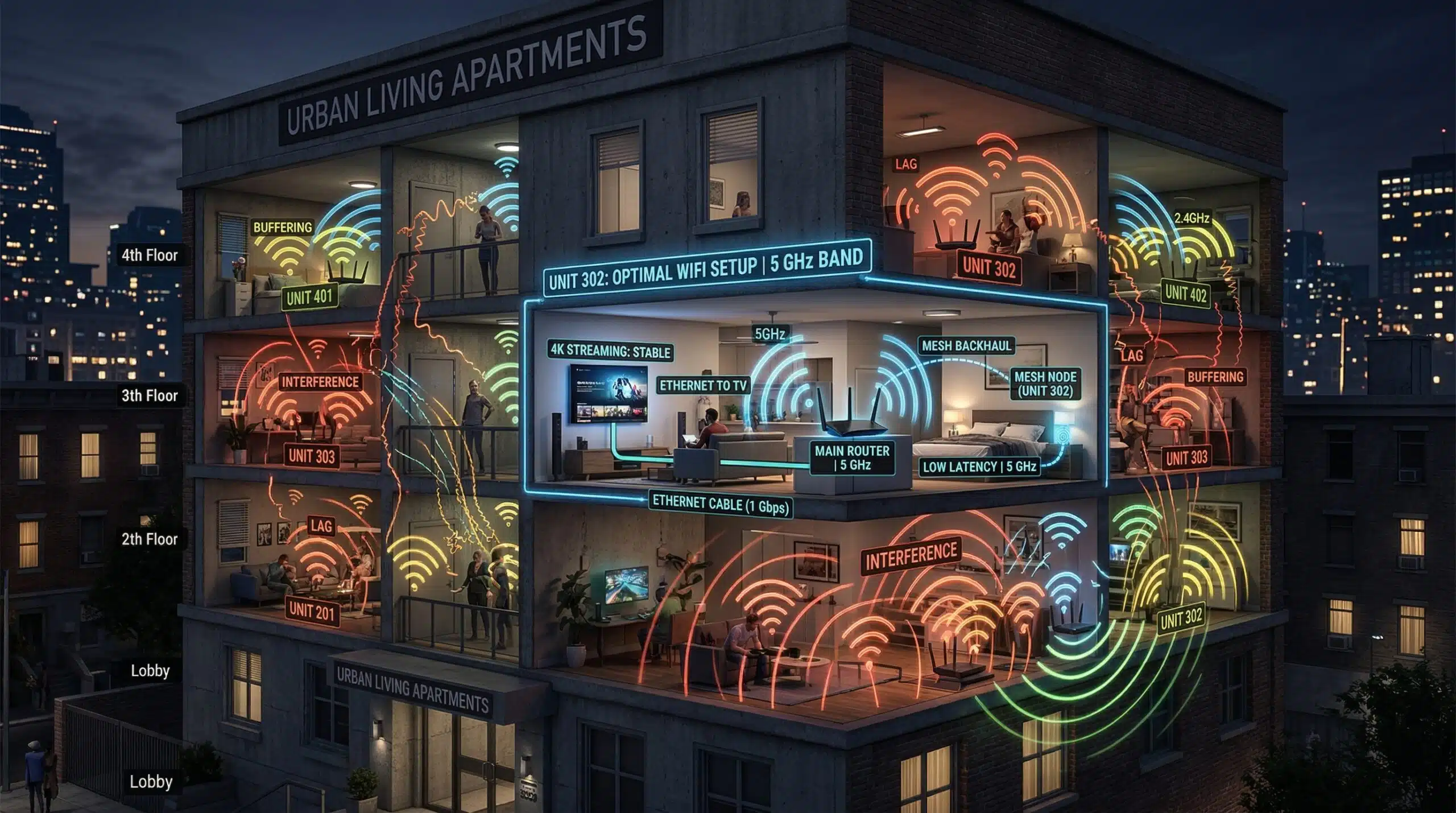
In apartment buildings, every unit’s WiFi router broadcasts on the same 2.4 GHz and 5 GHz spectrum. With 20–50 routers within range, channel congestion is severe. The 2.4 GHz band in a dense apartment building is nearly unusable for anything beyond basic IoT devices. Use the 5 GHz band exclusively for computers, streaming devices, and phones — it’s less congested in apartments because it has more available channels and shorter range (fewer neighboring routers reach you). WiFi 6 with OFDMA handles dense environments significantly better than WiFi 5. Ethernet directly to your devices eliminates this entirely for stationary equipment. For large apartments, see our WiFi coverage guide and 2.4 vs 5 GHz guide.
Related Guides
- Good Internet Speed for One Person
- Is 100 Mbps Fast Enough?
- 2.4 GHz vs 5 GHz WiFi
- How Much Internet Speed Do You Need?
- Wired vs Wireless Internet Speed
- What Is a Good Download Speed?
Frequently Asked Questions
Is 50 Mbps good enough for a one-bedroom apartment?
Yes for a single renter with typical usage — HD streaming uses 5 Mbps, gaming uses 3–10 Mbps, video calls use 3–5 Mbps. 50 Mbps handles all three simultaneously with headroom. If you frequently download large files (games, video projects), 100 Mbps meaningfully reduces waiting time. If you work from home daily on video calls, confirm your upload speed is at least 10 Mbps — often the tighter constraint on cable plans.
Does apartment WiFi interference slow my internet?
Yes — 2.4 GHz interference from dozens of neighboring routers in apartment buildings causes real performance degradation: higher jitter, occasional packet loss, and lower throughput. Switching to 5 GHz reduces interference significantly, as 5 GHz has more channels and shorter range limits how many neighbors’ signals reach you. WiFi 6 routers using OFDMA handle congested channel environments far better than older standards. For stationary devices like desktops and TVs, Ethernet eliminates interference entirely.
What internet plan should I get for my first apartment?
For a single person: 100 Mbps is the comfortable sweet spot in 2025 — affordable, handles all typical activities without constraint, and future-proof for a few years. 50 Mbps works but feels limiting if you stream 4K, game online, and video call simultaneously. For two roommates: 200 Mbps ensures no conflicts regardless of what each person is doing. Always check the upload speed — especially for WFH use where upload is as important as download.