How to Boost Your WiFi Signal — 10 Proven Methods
Weak WiFi signal is the most common cause of poor home internet performance. Test your speed from a weak-signal location at instantspeedtest.net/ and compare to near-router speed to quantify the signal problem before implementing fixes.
10 WiFi Signal Boosting Methods — Ranked
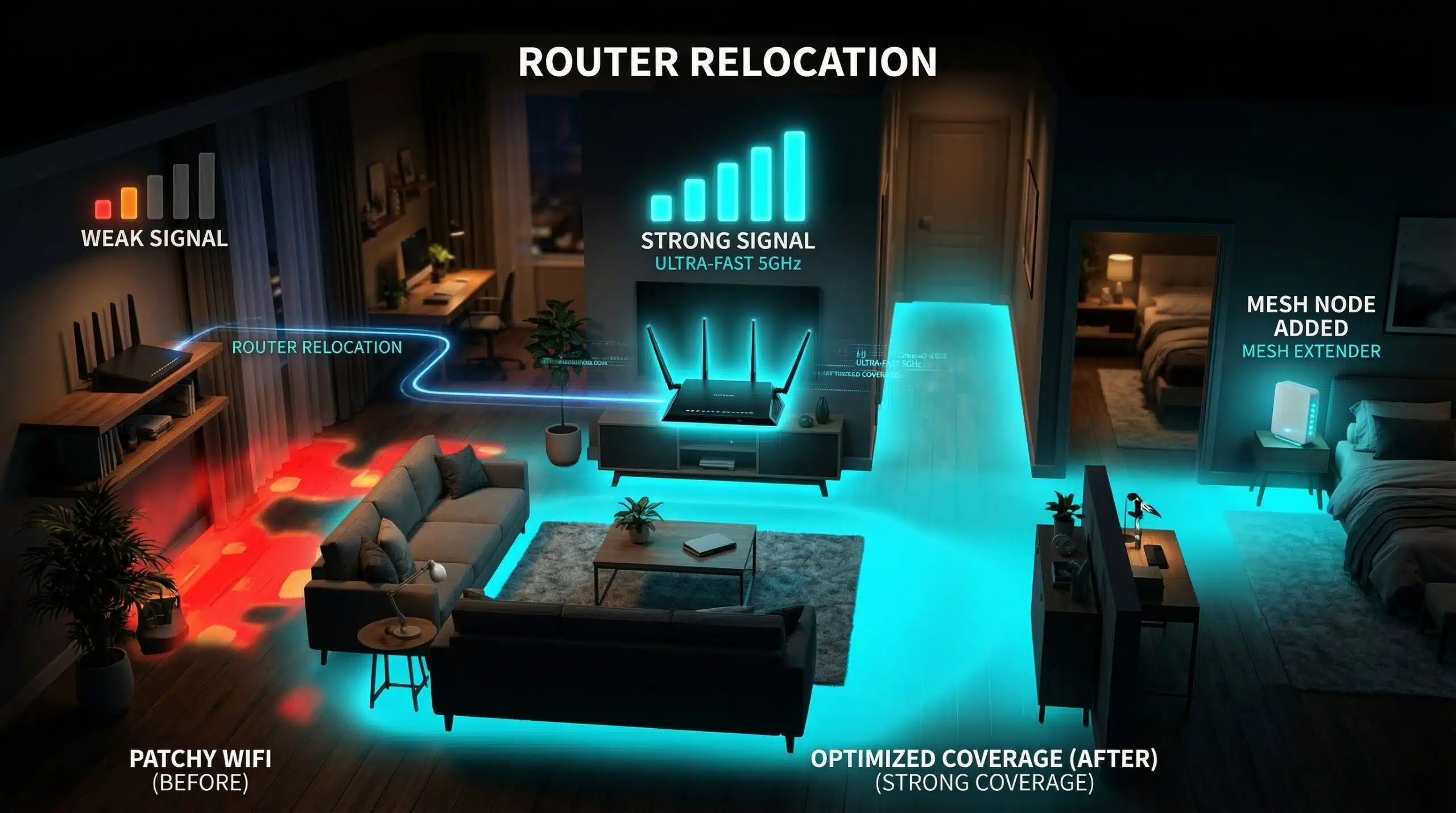
1. Reposition router to center of home. Every meter of distance and every wall reduces signal. Placing the router centrally reduces maximum distance to any room. Elevated placement (shelf height vs floor) improves signal propagation. This single change often doubles coverage range at no cost.
2. Switch to 5 GHz for nearby devices. At close range, 5 GHz delivers dramatically faster speeds than 2.4 GHz. Reserve 2.4 GHz for distant devices that need range over speed.
3. Use 2.4 GHz for distant devices. 2.4 GHz penetrates walls and travels further — better for far rooms or outdoor coverage where 5 GHz signal is too weak.
4. Change to a less congested WiFi channel. Use a WiFi analyzer app (WiFi Analyzer on Android, Wireless Diagnostics on Mac) to find the least congested channel. 2.4 GHz: use channels 1, 6, or 11 only. 5 GHz: less congested — try channels 36, 40, 44, or 48.
5. Update router firmware. Router admin → firmware update section. Performance and transmission improvements are included in updates.
6. Remove router from interference sources. Microwaves, cordless phones, baby monitors, and Bluetooth devices all interfere with 2.4 GHz. Metal appliances reflect and block signals. Move router away from these sources.
7. Add a mesh node or WiFi extender. For homes over 2,000 sq ft, additional coverage hardware is often necessary. Mesh is better than extenders — see our mesh WiFi guide.
8. Use Ethernet for bandwidth-heavy devices. Wiring your TV, gaming console, or desktop to Ethernet frees WiFi for mobile devices and reduces contention on the wireless network.
9. Check for bandwidth hogs on your network. Router admin → connected devices — look for devices consuming disproportionate bandwidth. Smart TVs downloading updates, gaming consoles auto-downloading games, and compromised devices all consume bandwidth that should be available to WiFi clients.
10. Upgrade your router. If the router is 5+ years old, replacing it with a WiFi 6 model provides better range, more simultaneous device support, and significantly faster speeds. See our WiFi 6 vs WiFi 5 guide.
Related Guides
- Does Router Placement Affect Speed?
- How to Improve WiFi in Large Houses
- What Is a Mesh WiFi System?
- 2.4 GHz vs 5 GHz WiFi
- WiFi 6 vs WiFi 5
- How to Speed Up a Slow Router
Frequently Asked Questions
Do WiFi signal boosters really work?
Yes — properly placed WiFi extenders or mesh nodes genuinely extend coverage to areas the main router doesn’t reach. The caveat: basic repeaters halve bandwidth on the extended band (acceptable for low-speed activities, not for 4K streaming). Mesh systems avoid this limitation with dedicated backhaul. For areas where any connectivity is better than none, even a basic extender is worthwhile.
Can aluminum foil boost WiFi signal?
A reflector made from aluminum foil can directionally focus WiFi signal in one direction — potentially useful for extending signal toward a specific room when the router is near an exterior wall. MIT research showed this can work in controlled tests. However, it’s an imprecise fix compared to router repositioning or mesh nodes. For the price and effort of a proper mesh node ($50–100), a mesh system provides far better and more reliable improvement.