What Is Cable Internet?
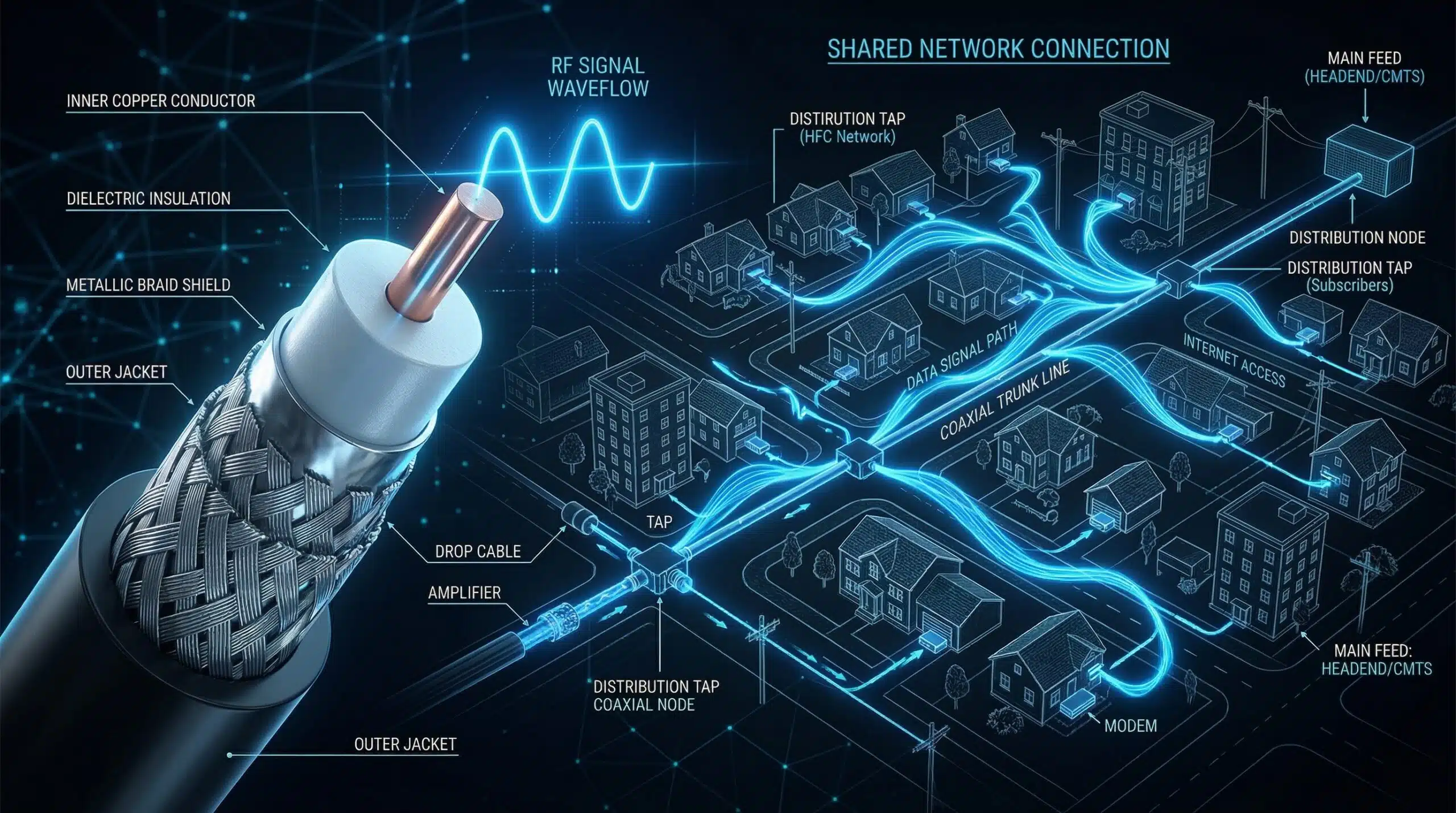
Cable internet delivers broadband service through the same coaxial cable infrastructure used for cable television. It uses the DOCSIS (Data Over Cable Service Interface Specification) standard to transmit data signals over coaxial cables, sharing the physical infrastructure that cable TV companies already laid throughout neighborhoods. Cable internet is the most widely available broadband technology in North America and much of Europe, making it the default internet type for most homes. Check your cable speeds with our free internet speed test.
How Cable Internet Works — Key Concepts
A CMTS (Cable Modem Termination System) at your ISP’s headend sends data over coaxial cable to your cable modem at home. The critical design detail: multiple homes in a neighborhood share the same upstream cable node. This shared infrastructure means you’re competing for bandwidth with your neighbors during peak hours — hence why cable internet slows down between 7–10pm in many areas. This is the root cause of the “why is my internet slow at night” phenomenon. See our guide on why internet is slow at night for full details.
Cable Internet Speed — What to Expect
| DOCSIS Version | Max Download | Max Upload | Typical Plan |
|---|---|---|---|
| DOCSIS 3.0 | 1 Gbps | 200 Mbps | 100–300 Mbps |
| DOCSIS 3.1 | 10 Gbps | 1–2 Gbps | 500–1200 Mbps |
| DOCSIS 4.0 | 10 Gbps | 6 Gbps | Future deployment |
Cable Internet Pros and Cons
Pros: Widely available in urban and suburban areas; fast download speeds up to 1–2 Gbps on modern DOCSIS 3.1; existing infrastructure means no new cable runs needed; generally lower cost than fiber at comparable speed tiers.
Cons: Asymmetric — upload speeds are much lower than download (a key limitation for remote workers and streamers); shared neighborhood infrastructure causes peak-hour slowdowns; higher latency than fiber (15–35ms vs 5–15ms); susceptible to network congestion.
Cable vs Fiber — Should You Switch?
If fiber is available at a comparable price, the switch is almost always worth making. Fiber offers symmetric upload, lower latency, dedicated (non-shared) infrastructure with no peak-hour slowdowns, and future-proof capacity. However, cable at DOCSIS 3.1 speeds (500+ Mbps) is genuinely fast enough for all typical household activities and upgrading to fiber may not produce noticeable improvement for purely download-focused use. Read our full fiber vs cable internet comparison for a complete analysis.
Related Guides
- What Is Fiber Internet?
- What Is DSL Internet?
- Fiber vs Cable Internet
- Cable vs DSL Internet
- What Is Network Congestion?
- Why Is My Internet Slow at Night?
Frequently Asked Questions
Is cable internet good for gaming?
Yes for casual gaming — cable’s download speeds are more than adequate and latency (15–35ms) is acceptable. For competitive gaming, fiber’s lower and more consistent latency is preferable. Cable’s peak-hour congestion can cause latency spikes during evening gaming sessions on busy neighborhood nodes. Wired Ethernet connection on cable typically achieves better gaming performance than WiFi on fiber.
Why is cable internet slow at peak times?
Because neighboring households share the same upstream node. When everyone comes home and uses the internet simultaneously, all those users compete for the same bandwidth allocation at the node level. The shared infrastructure model is fundamental to cable’s design. Fiber avoids this with dedicated per-home connections.
Is cable internet the same as WiFi?
No — cable is the type of internet connection coming into your home; WiFi is how devices connect wirelessly within your home. Your cable modem connects to the cable internet service, your router creates the WiFi network. You can have cable internet with or without WiFi depending on your setup.