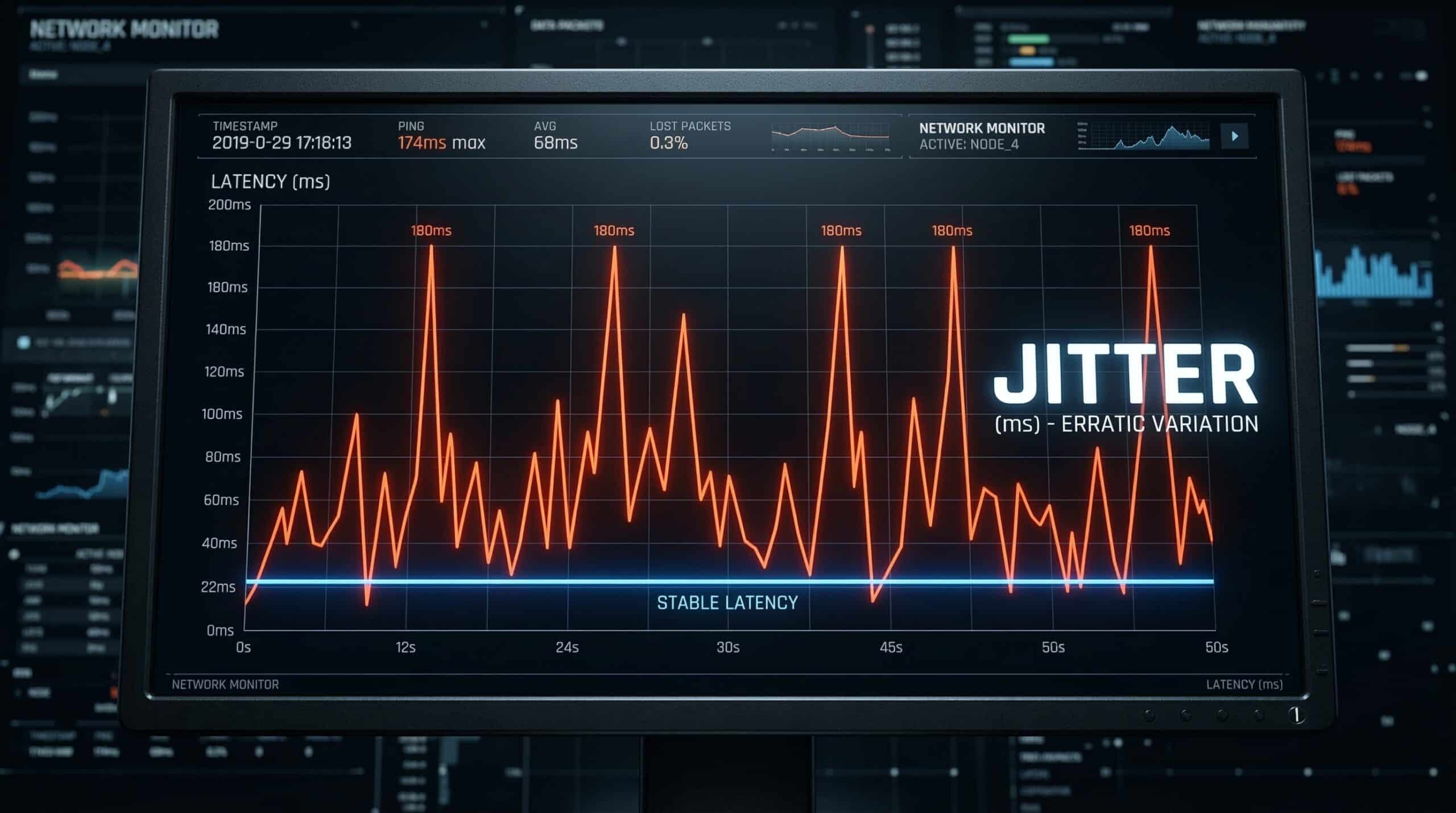
What Is Jitter?
Jitter is the variation in ping over time — measured in milliseconds (ms). While ping is your average round-trip latency, jitter measures how inconsistent that latency is. A connection with 20ms average ping and 2ms jitter is stable and smooth. A connection with 20ms average ping and 30ms jitter produces wildly unpredictable latency — spiking from 20ms to 50ms to 10ms in rapid succession. This unpredictability is what causes rubber-banding in games, audio glitches on calls, and pixelating video. Test your jitter right now with our free speed test.
Jitter vs Ping — Which Is Worse?
For real-time applications, high jitter is often more damaging than high average ping. A consistently high 60ms ping is predictable — game engines and video call software can compensate for it. Jitter that randomly spikes from 10ms to 80ms is unpredictable, causing the application’s buffer to overflow, producing the visible artifacts users experience as stuttering, teleporting enemies, and frozen video frames. See our detailed comparison of jitter vs ping for gaming for a full breakdown.
What Causes High Jitter?
| Cause | Where It Happens | Fix |
|---|---|---|
| WiFi interference | Your home network | Switch to Ethernet or change WiFi channel |
| Network congestion | ISP infrastructure | Off-peak usage; upgrade to fiber |
| Shared cable infrastructure | ISP neighborhood node | Switch to fiber |
| Overloaded router | Your router | Reboot, update firmware, or replace |
| Packet loss | Anywhere in the path | Diagnose with traceroute |
| Background bandwidth consumption | Your network | Close downloads/streaming during gaming |
What Counts as Good Jitter? — Numbers
Under 5ms jitter is excellent — essentially imperceptible in all applications. 5–15ms is acceptable for gaming and video calls with minor occasional artifacts. 15–30ms is noticeable — expect occasional audio glitches and game stutters. Above 30ms jitter, gaming and video calls are significantly impaired. Above 50ms, real-time applications become unreliable. Your jitter reading in a speed test reflects conditions at that moment — test multiple times at different times of day to get a representative picture.
How WiFi Creates Jitter
WiFi is a shared medium — multiple devices and neighboring networks compete for the same radio frequency. This competition causes packets to be delayed unpredictably. A WiFi connection might deliver 20ms ping most of the time but spike to 60ms whenever a microwave runs, a neighbor’s router transmits, or multiple devices simultaneously access the network. Ethernet eliminates this entirely — a wired connection’s jitter is typically under 1ms. If you’re gaming or making important work calls, Ethernet is the single most impactful change you can make.
Jitter and Video Calls — Why It Matters
Video call platforms (Zoom, Teams, Google Meet) use jitter buffers to absorb packet timing variation. If jitter exceeds the buffer size, packets arrive too late to be used — causing audio dropouts, frozen video frames, and robot-voice artifacts. Most platforms use dynamic jitter buffers that expand to accommodate higher jitter, but at the cost of increased total latency. High jitter on calls results in either audio glitches (small buffer) or noticeable delay in conversation (large buffer to accommodate jitter).
Related Guides
- What Is Ping?
- What Is Latency?
- Why Is My Jitter So High?
- Jitter vs Ping for Gaming
- How to Read Speed Test Results
- Fix Gaming Lag Without a VPN
Frequently Asked Questions
What is a good jitter for gaming?
Under 5ms is excellent. Under 15ms is acceptable for casual gaming. Above 30ms, you’ll notice rubber-banding and hit registration problems in fast-paced games. Competitive players should aim for under 5ms, which requires a wired Ethernet connection on a stable fiber or cable connection.
Can jitter be fixed?
Yes — most jitter is caused by WiFi or home network issues, which are fully fixable. Switch to Ethernet, ensure your router firmware is current, enable QoS to prioritize gaming traffic, and avoid peak-hour internet use when possible. ISP-level congestion jitter is harder to fix but switching to fiber largely eliminates it.
Does jitter affect streaming video?
Not significantly for pre-recorded streaming (Netflix, YouTube). These services buffer 15–30 seconds of content, easily absorbing jitter spikes. Jitter only affects streaming when your overall connection drops so dramatically that the buffer empties — which requires sustained packet loss or extremely high jitter combined with low bandwidth. Live streaming and video calls are far more sensitive to jitter than pre-recorded video playback.